7 Best FAQ Plugins for WordPress 2026

If you run a WordPress website, chances are that you are repeatedly asked the same question over and over by visitors. Things like "How do I place an order?" or "What is your refund policy?" Answering each question by email or chat is a bit of a tedious task for anyone. A well-placed FAQ section fixes the problem in an instant.
But here is one thing: not all FAQ plugins are built the same. Some are bloated, some keep the site down. Others look outdated or break your theme in a blink of an eye. A handful of them are clean, fast, and very SEO- friendly.
In this guide, you will find the best FAQ plugins for Wordpress in 2026, reviewed honestly with their details, pricing, and best use cases. Whether you run a blog or a WooCommerce store, there is a plugin for everyone.
Key Features to Look for in a WordPress FAQ Plugin
Before getting into the review part, let's talk about what actually matters when choosing an FAQ plugin:
Accordion or toggle layout. Collapsible FAQs are best compared to a flat one. They save space and let visitors scan the questions before reading the answers.
FAQ schema markup. This is one of the top features that enabled your FAQs to show as rich snippets in Google search results. It can directly impact click-through rate and organic traffic.
Ease of use. You should be able to add new questions and answers in under 2 minutes without the hassle of reading documentation.
Customization options. At the bare minimum, it must have control over colors, fonts, and layout so the FAQ section can easily blend with the design with ease.
Page builder compatibility. If you use Elementor, DIVI, or Wordpress editor, the plugin must have the capability to work smoothly with the setup.
Mobile responsiveness. Most of the traffic comes from mobile. Your FAQ must look clean and work properly on small screens.
Best FAQ Plugins for WordPress
1. All in One SEO (AIOSEO)
Best for: Sites that want FAQ schema built into their SEO workflow
All-in-one SEO is one of the best SEO plugins with over 3 million users worldwide. It lets you optimize your site for search engines to improve your rankings. The plugin comes with a built-in handy feature of the FAQ block.
The FAQ blocks work perfectly inside the Gutenberg editor. You just add questions and answers, and the schema markup is handled seamlessly in the background. You don't need to touch the code or need any extra schema plugin.
The plugin FAQ block allows you to add questions and answers. You can also customize the FAQ section from the block panel. This includes playing with text color, background color, typography, and the title wrapper.
What makes AIOSEO stand out is that it provides an FAQ feature as part of its SEO toolkit. Apart from FAQs, the plugin also provides functionality like sitemaps, advanced redirects, SEO titles, descriptions, and a lot more.
Pricing: Free version available. The premium plan starts at $49 per year.
Best for: Bloggers, content marketers, and Site owners who want an FAQ schema without managing an extra plugin.
2. Heroic FAQs
Heroic FAQs is purposefully built for FAQs rather than a generic accordion tool. Trusted by more than 33000+ sites, the plugin is developed by the Core team of HeroThemes and pairs naturally with Heroic knowledge base plugin, which is considered one of the most capable knowledge base solutions for Wordpress.
You can create different FAQ categories for different products, services, or processes on your site.
You have the ability to change the FAQ layout to accordion, toggle, and list. There are also different options available to change the icon position, size, and style.
Unlike many other FAQ plugins available in the market, Heroic FAQs supports images, videos, and blockquotes inside FAQ answers.
Best for: Small businesses, product documentation pages, and support heavy websites.
3. Ultimate FAQ
Best for: WooCommerce stores and sites that need AI-generated FAQs
As the name suggests, Ultimate FAQ is capable of doing almost everything when it comes to FAQs. With WooCommerce and Block editor optimization, this plugin gives you a lot of flexibility and adapts to almost any website and level of user ability.
The plugin includes a full FAQ page, and FAQ schema structure data marked up in LD+JSON format. So when the page is indexed in Google, Google can easily understand that it's the FAQ page and treat it accordingly in search results.
A standout feature in the plugin is AI integration. You no longer need to create an FAQ manually; let the AI do the heavy lifting for you. The plugin now offers OpenAI integration, which allows you to generate FAQs for you with the blink of an eye. You just need to specify which post and page should be used, and the rest can be done automatically by the plugin by creating an FAQ based on the content.
Add an unlimited number of FAQ entries, categories, tags, and pages. Display your FAQs anywhere with the included Gutenberg block or shortcodes.
Pricing: Free version available. Licenses cost at $30 per year, and you get access to advanced styling options and flexibility.
Best for: WooCommerce product pages, and anyone who prioritizes speeding up FAQ creation with AI.
4. Helpie FAQ
Best for: Drag-and-drop FAQ management with Elementor support
Helpie FAQ is a dedicated accordion and one of the best FAQ plugins for WordPress that works flawlessly with Gutenberg, Elementor, and the Helpie Knowledge Base plugin. It is best for those who want a drag-and-drop experience without relying on shortcodes.
Key features include a drag-and-drop builder, WooCommerce product FAQ support, and the ability to embed FAQs using blocks, widgets, or shortcodes. The plugin also has built-in functionality of FAQ schema markup built in, so the questions are eligible to appear in Google rich snippets.
It's best to choose if you have an Elementor-based site.
Best for: Elementor users, WooCommerce stores, and teams managing a knowledge base alongside FAQs.
5. Easy Accordion
Best for: Lightweight accordion FAQs without any bloat
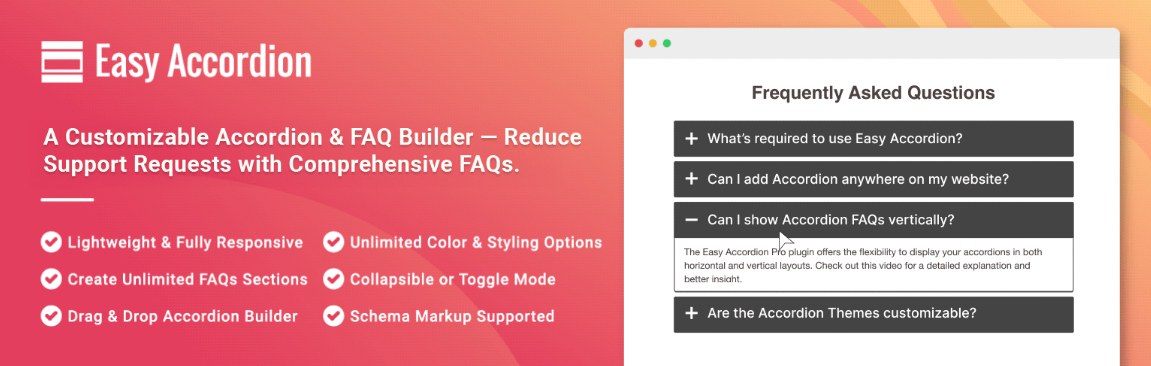
Easy Accordion does exactly what its name suggests. It lets you set up a clean and collapsible accordion section without loading a heavy plugin or slowing down the site. It is best for those who want a simple FAQ solution, nothing else.
The plugin works great with Gutenberg and supports shortcodes for classic editor users. It is responsive and provides basic styling options as well. The free version covers almost all use cases, and a premium upgrade adds more animation styles and display controls.
Best for: Bloggers and small websites that want a simple solution, no frills FAQ accordion.
6. Ultimate Blocks
Best for: Content creators who want FAQ blocks alongside other Gutenberg blocks
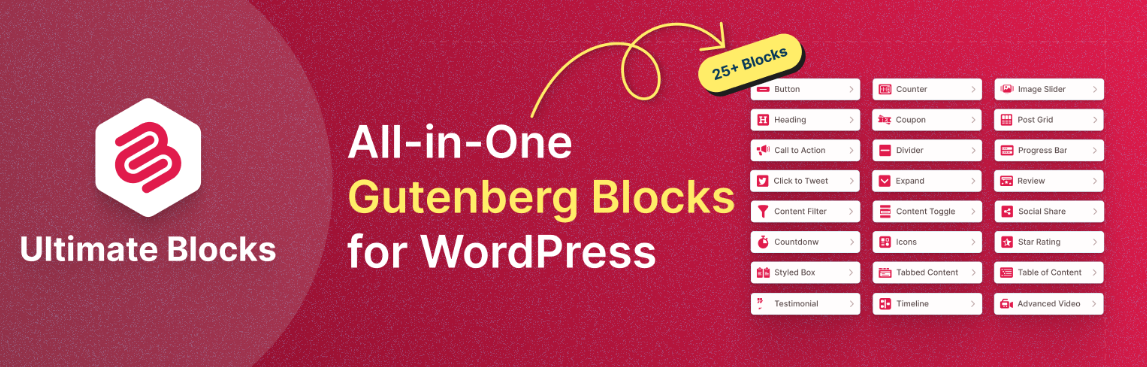
Ultimate Blocks is a Gutneberg plugin with 20+ custom blocks available. Content toggle is one of its custom blocks through which you can create collapsible sections on any of your Wordpress posts and pages.
This plugin is not solely for FAQ. It is a content toolkit for the block editor, which has its own FAQ block. If you write long-form content but want to add collapsible FAQ sections into any of your posts without a separate plugin, Ultimate Blocks is just for you.
The Ultimate Blocks has a free version available; its premium version starts from $39/year with a 14-day refund policy.
Best for: Bloggers and content marketers who want Gutenberg and a ton of block types in one plugin.
7. WP Responsive FAQ

Best for: Simple mobile-first FAQ sections on a budget
WP Responsive FAQ is a very lightweight plugin specifically designed to keep the mobile performance in mind. It is one of the best, clean, Collapsible FAQ plugins that works really well in almost all screen sizes. The setup is quick, and the interface is simple and does not require any technical knowledge to set it up.
It supports custom categories, shortcodes, and basic styling options. While it does not have very deep features like AIOSEO or Heroic FAQs, it helps to get the job done and provides an FAQ section without any hassle.
Best for: Small business websites, landing pages, and beginners who just want a fast and functional setup.
Comparison Table
| Plugin | Best For | Free Version | Schema Markup | Starts At |
|---|---|---|---|---|
| All in One SEO | SEO + FAQ schema | Yes | Yes | $49/year |
| Heroic FAQs | Clean design, support sites | Yes | Yes | $49/year |
| Ultimate FAQ | WooCommerce + AI FAQs | Yes | Yes | $30/year |
| Helpie FAQ | Elementor + drag-and-drop | Yes | Yes | $29/year |
| Easy Accordion | Lightweight accordion | Yes | Limited | $29/year |
| Ultimate Blocks | Gutenberg content blocks | Yes | Yes | $39/year |
| WP Responsive FAQ | Mobile-first simplicity | Yes | No | Free |
How to Choose the Best FAQ Plugins for Wordpress
With so many goated options available, here is a quick decision framework:
If SEO is your main objective, go with All in One SEO. The built-in FAQ functionality and all-in-one SEO toolkit are the best choice for ranking in Google.
If you want a dedicated FAQ tool simple for beginners, Herois FAQs will be your best pick. Clean design and no learning curve.
If you run a WooCommerce store, Ultimate FAQ is capable of handling product-level FAQs and now includes AI integration as well to speed up the process.
If you use Elementor, Helpie FAQ gives the best visual control within the page builder.
If you just need simple and free, Easy Accordion or WP Responsive FAQ will do the trick for you.
How to Add FAQ Schema for SEO
FAQ schema is a type of structured data that communicates to Google that the content is in question-and-answer format. When Google recognizes it, it will show in search results as expandable rich snippets, which directly increases the visibility of the site and click-through rate.
Most of the plugin mentioned above has FAQ functionality. Here is how they work:
Step 1. Install and activate the Chosen FAQ plugin.
Step 2. Add a new FAQ block on the page of the post using the help of Gutenberg editor.
Step 3. Add your questions and answers inside the block.
Step 4. Publish the page. The plugin automatically inserts the FAQ schema markup in the page source code.
Step 5. Go to the search console and use the URL inspection tool to check whether the schema is working correctly or not.
You can also use Google's rich results test (search it on Google) to paste your URL, and the rest gives you data, the FAQ schema is working well, and the page gets indexed.
Final Verdict
The best FAQ plugins for Wordpress in 2026 depend a lot on what exactly you need.
For most Wordpress site owners, All in One SEO is the top recommended plugin. It handled the FAQ schema automatically, works really well in the block editor, and has a full suite of SEO tools.
If you want a plugin dedicated to working for FAQ with a clean interface, go with Heroic FAQs. It's beginner-friendly, supports rich media in answers, and works really well out of the box.
For WooCommerce stores, Ultimate FAQ is the clear winner for sure, as it has product FAQ integration with an AI generation feature.
Whichever plugin you choose, make sure it has schema markup, loads faster, and works really well with your current theme and Page Builder.
The Best FAQ Plugins for Wordpress: FAQs
What is the best free FAQ plugin for WordPress?
All in One SEO. Heroic FAQs and Ultimate FAQ all have solid free versions that cover basic FAQ needs for your site. For a completely free and lightweight option, WP Responsive FAQ is a solid choice.
Do FAQ plugins slow down WordPress?
A well-coded FAQ plugin adds minimal code to your site. Avoid plugins that load unnecessary and heavy JavaScript libraries. Easy Accordion and WP Responsive FAQ are light options available.
Does adding an FAQ section help with SEO?
Yes significantly. When you add the FAQ schema, it has a chance of appearing as rich snippets in search results. This can increase the visibility and click-through rate of your site.
Can I use an FAQ plugin with Elementor?
Yes. Helpie FAQ and Ultimate FAQ both seamlessly integrate with Elementor.
How many FAQs should I add to a page?
There is no fixed rule, but it's recommended to have 5 to 15 questions for most pages. Focus on questions that visitors are really asking for. Quality over quantity always wins.
Is the FAQ schema still useful in 2026?
Yes. The FAQ schema is still capable of generating rich snippets in search results, particularly in the "people also ask" section. It remains one of the easiest ways to gain visibility with more links and creating new content.
➤ Disclosure: Our content is reader-supported. If you click on certain links, we may make a commission. [Learn More]