Best Managed WordPress Hosting of 2026

If you have ever dealt with a hacked website at 2 AM, watched your sudden spike in traffic crash your server, or dealt with a support agent who had no idea what WordPress even was, you already understand why managed hosting exists.
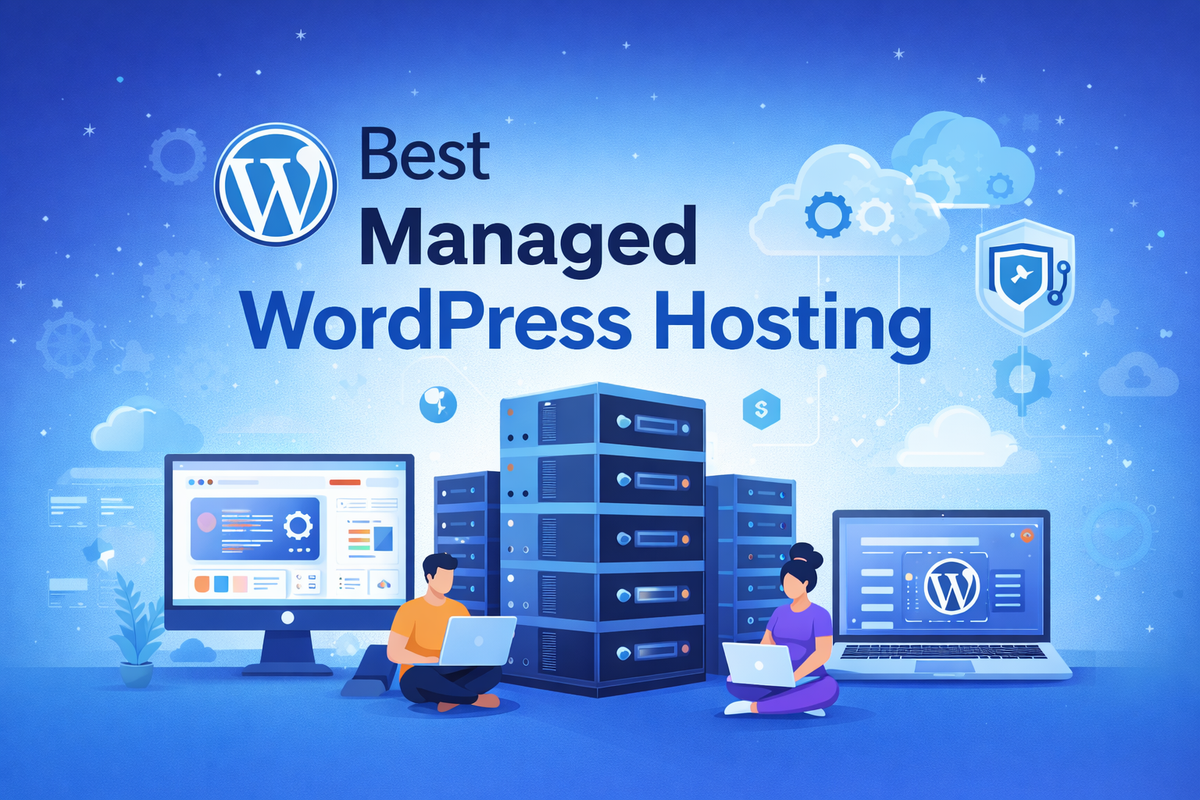
Managed WordPress hosting takes all the burden of your website on its shoulders and gives you a seamless experience. Updates, backup, security, performance optimisation, and server configuration are all handled for you. You focus on creating content, and they will handle your infrastructure.
But not all managed WordPress hosts are treated equally. Some charge premium prices, which is basically shared hosting with a fancy label. Others provide the best enterprise-grade infrastructure at real prices. The gap between the best in the market and the worst is huge, and picking the wrong one can cost you traffic, revenue, and sleep.
In this guide, we test and compare the 10 best managed wordpress hosting providers of 2026. We looked at real speed data, uptime records, support, pricing, and the features that matter most to different types of WordPress users, including bloggers, agency owners, and high-traffic ecommerce stores.
Let us get into it.
What is Managed WordPress Hosting?
Managed WordPress hosting is a type of hosting where the provider takes full care of your website, especially the technical aspects. Instead of you managing the server, PHP version, and database optimisation, the hosting company handles all the stuff on your behalf.
Think of it like renting a house vs owning a house. With regular hosting, you own the house, and you're responsible for plumbing, maintaining the roof, and handling security. With managed WordPress hosting, you are renting a well-maintained apartment, where the landlord handles all maintenance, security, and repairs. You just live there and do your work.
A quality managed Wordpress hosting plan includes:
- Automatic WordPress core and plugin updates
- Daily and real-time backups with one-click restore
- Built-in security and malware removal
- A staging environment to test changes before going live
- WordPress knowledgeable staff
- A world-class CDN
- Automatic scaling during a sudden burst of traffic
The result turns out to be a faster, more secure, and stable WordPress site that requires less effort to manage.
Managed vs Shared vs VPS vs Cloud Hosting
Before spending any precious money on managed WordPress hosting, it's worth understanding how it compares to the alternatives.
| Hosting Type | Management Level | Performance | Best For | Avg. Monthly Cost |
|---|---|---|---|---|
| Shared Hosting | Self-managed | Low to medium | Beginners, hobby blogs | $3 – $10 |
| VPS Hosting | Mostly self-managed | Medium to high | Developers, growing sites | $20 – $80 |
| Cloud Hosting | Self-managed or semi-managed | High | Scalable, flexible needs | $10 – $100+ |
| Managed WP Hosting | Fully managed | High to very high | Businesses, agencies, serious blogs | $20 – $300+ |
Shared hosting tends to be cheaper, but you are sharing the resources with hundreds of websites on a small server. One badly behaved neighbour can damage your site badly. VPS gave dedicated resources, but server management is all yours. Cloud hosting is flexible, but you must have technical knowledge of how.
Managed Wordpress hosting, on the other hand, gave you huge performance without managing the server itself - meaning no headache. You pay more, but you get much more value when it comes to time saved and expertise applied.
Who Should Use Managed WordPress Hosting?
Managed WordPress hosting is not for everyone. Hers is an honest breakdown of who benefits the most from it.
You should use managed WordPress hosting if you:
- Run a business website where a bit of downtime costs a significant amount of money
- Do not want to indulge in server maintenance
- Run an agency that handles multiple clients
- Run a WooCommerce store and need a reliable infrastructure
- Have a blog or media site that gets a significant amount of traffic
You might not need it if you:
- Are just starting a blog with very little traffic
- Are on an extremely tight budget wth no immediate revenue looking in the near future
- Have stronger administrative skills and want to enjoy one's own environment
For anyone who wants a serious WordPress site, managed hosting is really a solid investment.
How We Selected the Best Managed WordPress Hosting
We did not just read the spec sheet to give you an overview. We have done our evaluation based on hands-on testing for several months, and we weighed each provider based on the criteria mentioned below:
- Performance: Server response time (TTFB), page load speed, and uptime measured over 30-day periods
- Security: whether the host has proper scanning, malware removal, and free hack fixes
- Support quality: Response speed, accuracy, and whether support staff have proactiveness
- Developer tools: Staging environments, SSH access, GIT integration, and WP-CLI
- Value for money: Are you getting what you actually pay for
- Scalability: how each host stacks when it comes to handling traffic growth and sudden spikes
With that framework in mind, we have managed to rank the 15 best managed WordPress hosting providers of 2026.
1. Cloudways

Best overall managed WordPress hosting for flexibility and value
Cloudways operates way differently from the other providers on the list. Rather than owning its own data centres, CloudWays enabled users to deploy WordPress on top of major cloud infrastructure, which includes some big names like DigitalOcean, AWS, Google Cloud, Linode, and Vultr. You get the power of enterprise cloud infrastructure with managed experience on top.
The performance is excellent. In our testing, Cloudways servers on DigitalOcean consistently delivered the exceptional TTFB under 180 ms for U.S.-based visitors. The platform uses PHP8.x, Redis, Varnish and built-in CDN powered by one of the top companies, Cloudflare. Stack that together, and you get the fastest website without configuring anything yourself.
What makes Cloudwattys stand out is the quality and speed at a very manageable price. You need to choose server size, Cloud provider, your data centre location, and that's it, you are good to go. You can also upscale and downscale at any time. Agencies are in love with Cloudways as they manage multiple client sites, single-server and share the cost.
Support is excellent, i.e., 24/7 via live chat and ticketing. Response time is fast, and you can access WordPress's knowledge staff.
The one genuine downside I feel is that cloudways is slightly more complex than a plug-and-play host. The dashboard is powerful but has a learning curve. If you want complete hands-off, Kinsta or WP Engine might suit you, but again Cloudways rests at the top mainly due to pricing, service and fast cloud server. Beating Cloudways on Pricing is not for everyone.
Pricing: Starts at around $14/month. Scales based on cloud provider and server size.
Best for: Agencies, developers, and growing businesses that want top cloud infrastructure with managed experience.
2. Kinsta
Best premium managed WordPress hosting for high-traffic sites
Kinsta runs entirely on Google Cloud Platform's premium tier network, specifically their C2 compute - optimized machines. This is the same infrastructure used by Google's own service, which means you can rely on it for your website performance. In our testing, Kinsta delivered some of the fastest TTFB numbers we have recorded across all providers we tested recently, which is under 100ms on their premium tier.
Every site on Kinsta has its own Linux container with dedicated resources. This means no noise behaviour around. Your site performance is not affected by dny nau closest neighbour, Kinsta uses Nginx, MariaDB and PHP 8.x across all plans, along with Cloudflare integrated CDN with over 260 presence worldwide.
The MyKinsta dashboard is one of the clean and well-organised dashboards that give you detailed analytics, cache management, error log access, and one-click staging.
Kinsta backs every plan with a 99.95 uptime guarantee and includes a free site migration feature. Security is one of the best aspects of Kinsta with DDoS protection, malware scanning, automatic backups and free SSL on all plans.
The catch is price. Kinsta is one of the most expensive options on our list. Their entry plan handles WordPress installation and chooses agencies that have multiple sites.
Pricing: Starts at $35/month for one WordPress site.
Best for: Established businesses, publishers and high-traffic WordPress sites.
Download this free eBook to learn how to choose the right web hosting without wasting money.
3. WP Engine
Best managed WordPress hosting for enterprise and agency use
WP Engine is a renowned name when it comes to managed WordPress hosting and has done remarkably well with WordPress and WooCommerce. The platform runs on Google Cloud and AWS, depending on the plan you choose.
For agencies, WP Engines' smart plugin manager is a significant time saver. It automatically tests and checks whether the plugin applies correctly or breaks something, once they test it and apply the plugin update to your live site. This is a kind of automation that most hosts do not offer.
WP Engine also has deep WooCommerce optimisation built in, making it the top choice if you're serious about online stores.
Their support quality is very premium. The team knows in and out of Wordpress and the knowledge base is best in the industry.
WP Engine is not a cheap option. And like Kinsta, it limits you to a single install at the entry level. But for businesses that prefer performance, compliance, and support, quality matters, and the price is justified.
Pricing: Starts at $25/month
Best for: Agencies managing client sites, enterprise WordPress deployments, and serious-looking WooCommerce stores.
4. Pressable
Best managed WordPress hosting for straightforward simplicity
Pressable is a WP Engine company, which means you are using the same infrastructure but at a lower cost point. It's good for a middle-ground option where users want a premium managed service without paying premium-tier prices.
Pressable includes top features like free migrations, daily backups, a CDN, free SSL, and access to Jetpack, which itself has features like security scanning, downtime monitoring, and backup features. Uptime in monitoring tends to be solid at or above 99.95%.
Supported and staffed by people who know WordPress. The dashboard is lean and simple, which is good for someone who doesn't want to deal with any technical stuff in the dashboard.
Pressable is not as feature-rich as Kinsta and WP Engine, but you are getting a desirable managed service without a premium price.
Pricing: Starts at $25/month for a single site with up to 30,000 monthly visits.
Best for: Small business owners and bloggers who want managed quality at a mid-range price.
5. Rocket.net
Best managed WordPress hosting for pure speed
Rocket.net is solid managed hosting built on Cloudflare's enterprise network, which means your WordPress site is built across Cloudflare's global infrastructure from day one. This is not just some random CDN bolt-on. The entire hosting architecture is built on Cloudflare workers and edge caching, which means static or dynamic content is served from the closest location to your visitors, which is almost impossible to achieve in any traditional hosting.
In our speed test, Rocket.net delivers consistent TTFB from multiple geographic locations, making it one of the fastest options we tested with global distribution.
The platform handles security really well. Because it runs behind Cloudflare's enterprise-level WAF, where you get DDoS protection and bot management, for which the other host charges a hefty price. Rocket.net serves you free in every plan.
For developers who want maximum control, Cloudways or Kinsta may suit better. But for users who simply want the fastest WordPress site possible with minimal setup, Rocket.net is just for you.
Pricing: Starts at $30/month for one site.
Best for: Site owner prioritising global page speed and Cloudflare level security.
6. Flywheel

Best managed WordPress hosting for designers and creative agencies
Flywheel is another hosting service that is a part of the WP Engine family. This hosting is specifically designed for designers and agencies in mind. The platform is well known for client site management, with a client billing portal, blueprint fr creatuing templated sites, and a proper collaboration workflow system that makes handing off sites to clients seamless.
The growth suite plan allows agencies to white-label hosting services, which is recommended for agencies that want to keep their clients in a branded ecosystem.
Performance is top-notch, backed by WP Engine infrastructure. The demo functionality enables users to build sites in a sandbox before billing starts, which is a great approach for client work.
Flywheel is not the gold standard for pure performance, but for creative professionals managing multiple client sites, it provides the best experience no other can match.
Pricing: Starts at $15/month for a single site.
Best for: WordPress designers, freelancers, and creative agencies managing client sites.
7. SiteGround Managed WordPress

Best budget-friendly managed WordPress hosting with premium features
SiteGround occupies a unique position in this list, and there are a lot of reasons for this. First and foremost, the reason is that it is significantly cheaper than Kinsta and WP Engine, yet providing features which can compete with giants in the hosting arena.
SiteGround has its own technology stack, including SiteGround Optimiser plugin, Supercacher for multiple caching layers, and a custom PHP setup. They run on Google Cloud infrastructure and have a data centre across the US, Europe, Asia and Australia.
The platform included a staging environment, daily backup, free SSL, a Cloudflare CDN, automatic wordpress updates and Wordpress security plugin. Getting this level of benefits at the SiteGround price is unbeatable.
Support quality is also very high. The support staff is available 24/7 via live chat and tickets. Response time, effort, and quality of support are also top-notch.
The main limitation of Sytegrooun is a limited entry-level plan with very limited storage and visit limits, which means that when there is a sudden increase in traffic, you need to upgrade the plan, which is pricier.
Pricing: Introductory plans start at $2.99/month. Managed WordPress plans start around $14.99/month at renewal.
Best for: Bloggers, small businesses and budget-conscious users who want managed hosting at a lower price.
8. Hostinger Managed WordPress

Best value managed WordPress hosting for beginners
Hostinger has built its reputation on aggressive pricing without compromising quality standards that other cheap hosting brings. Their managed WordPress hosting is a genuinely very solid option for the price Hostinger is offering.
The platforms use LiteSpeed web servers, which are notably fast for Wordpress. They also provide the LiteSpeed cache plugin. They offer free migration, daily backups, free SSL and CDN.
The hPanel of Hostinger has been referred to as one of the most user-friendly dashboards in the industry.
A few caveats are that support quality is not at the same level as Kinsta or WP Engine, and infrastructure is not the most specialised for high traffic sites. But for price, Hostinger still have an edge you can't criticise.
Pricing: Start at $9.99/month
Best for: Beginners, personal blogs and small sites on a tight budget.
9. Bluehost WP Pro
Best managed WordPress hosting for WordPress.org recommended users
Bluehost is one of the three hosts which are officially recommended by WordPress.org, and that is something Bluehost itself would be proud of. WP Pro managed plan is a step up from standard shared hosting. WP Pro plans include a staging environment and automatic daily backups. advanced caching, malware scanning and dedicated IP.
The performance is respectable, and the platform is deployed to Wordpress, making management as easy as possible without much technical knowledge. Bluehost support also improves greatly in recent times, and the team can handle common Wordpress issues.
WP Pro is not going to match Kinsta in raw speed tests. But users are familiar with Bluehost and prioritise ease of use; it is a solid, affordable managed option available.
Pricing: WP Pro plan starts around $19.95/month
Best for: WordPress beginners and existing Bluehost customers who want to move out of shared hosting.
10. DreamHost Managed WordPress
Best managed WordPress hosting for privacy-conscious users
Dreamhost is another WordPress.org-recommended host which has a strong reputation when it comes to transparency, privacy, and fair pricing. The DreamPress managed WordPress plans run on VPS infrastructure with a full SSD environment, with a built-in Jetpack subscription on the starter plans.
DreamHost is one of the few hosts that provides a monthly bill at an unbeatable price. It's preferable for those users who want to stay away from annual contracts. They also include unlimited bandwidth on all DreamPress plans.
The platform includes a staging environment, automatic caching via Varnish, free SSL, and a one-click WordPress install. Support is available 24/7 for you, but ticket-based support tends to be faster and more efficient than live chat.
Pricing: DreamPress starts at $16.95/month.
Best for: Bloggers, small businesses that want flexible billing and a managed environment.
11. Nexcess
Best managed WordPress hosting for WooCommerce
Nexcess, owned by Liquid Web, is purpose-built hosting specifically for Wordpress and WooCommerce. It is one of the few hosting providers that provide WooCommerce optimisation built into the infrastructure level instead of just adding it as a plugin.
The plugin includes iThemes Security Pro, which provides valuable alerts like plugin slowing down the site and instant scaling when traffic suddenly spikes. The sales performance monitor is a standout WooCommerce feature that tracks real-time revenue for your store and also alerts when performance-related drops.
Nexces has PHP workers that are capable of handling concurrent request volumes well, making it suitable for a store that has tons of transaction volumes.
Pricing: Starts at $21/month for one WordPress site.
Best for: WooCommerce store and high-traffic WordPress sites that need enterprise performance at a managed price.
12. Liquid Web Managed WordPress
Best managed WordPress hosting for high-traffic and enterprise
Liquid Web is the parent company of Nexcess and represents the upper end of managed hosting in the market. Their managed hosting provides a fully managed VPS with dedicated resources.
Liquid Web provides some of the strongest SLAs in the industry, which includes 100% uptime guarantee on the highest-tier plans. Their support is heroic and available 24/7 for all kind fte technical queries and is one of the best in the industry.
The platform included iThemes sync for managing multiple sites, automating backups and staging environments. Security, for sure, is enterprise-level with proactive monitoring and incident response.
The price really reflects what it's providing. It's recommended for hobbyists, large businesses, media companies, and high-revenue e-commerce stores.
Pricing: Start at $49/month.
Best for: High traffic sites, businesses where simple downtime can affect key revenue.
13. Scala Hosting Managed WordPress

Best managed WordPress hosting for customizable cloud VPS
Scala hosting provided a reliable managed cloud VPS product with sPanel, their control panel, which is an alternative to cPanel. Managed WordPress host provided by Scala has dedicated VPS infrastructure with dedicated resources.
What makes Scala stand out is its SShield security system, which claims to block 99.985% of all attacks happening on WordPress in real time. The platform also provides a free domain registration, daily backups, free SSL, and one-click WordPress install in the blink of an eye.
Scala pricing is competitive if you compare the resources they provide (RAM, CPU, SSD storage).
Pricing: Managed WordPress plans start at $19.95/month
Best for: Developers and technical users who want managed VPS-level resources without paying enterprise prices.
14. A2 Hosting Managed WordPress
Best managed WordPress hosting for speed-focused shared environments
A2 Hosting markets itself heavily on speed because of its turbo servers, which use LiteSpeed with its own caching layer, which often performs really well for the price point. Their managed WordPress plan provides caching, automatic backups, free SSL and a staging environment.
A2 Hosting has 99.9% uptime guarantee and a reputation for honouring it. Their Guru's support team is also very responsive to all queries related to WordPress.
The platform is more in premium shared hosting than managed hosting, but it delivers managed-level features at shared hosting prices. For users who want to manage WordPress features without cloud hosting, A2 Hosting is your go-to platform.
Pricing: Managed WordPress plans start at $11.99/month.
Best for: Speed-obsessed site owners on a budget.
15. GoDaddy Managed WordPress
Best managed WordPress hosting for ease of use and domain bundling
GoDaddy Managed WordPress is popular because of the company's massive infrastructure and reliable presence in domain registration. For users who already have a domain in GoDaddy, it seems obvious to have hosting with them. The platform includes automatic WordPress updates, daily backups, one-click restore, a free CDN and a staging environment.
Performance has greatly improved in recent times compared to the early managed WordPress hosting.
Where GoDaddy fell short compared to top premium hosts is in its inefficient WordPress support and the depth of its development tools. The support team handle common issues well but struggles to cope with complex WordPress scenarios.
Pricing: Starts at $9.99/month
Best for: GoDaddy customers and users who prioritise domain hosting consolidation for ease of management.
Managed WordPress Hosting Speed Test Comparison
The table below reflects the average time to First Byte (TTFB) and Largest Contentful Paint (LCP) values recorded during our rigorous testing using a standard WordPress installation with the same theme and plugin across all platforms. Testing was conducted from multiple global locations.
| Host | Avg. TTFB (ms) | Avg. LCP (ms) | Uptime (30 days) | CDN Included |
|---|---|---|---|---|
| Kinsta | 92 | 810 | 99.99% | Yes (Cloudflare) |
| Rocket.net | 98 | 790 | 99.98% | Yes (Cloudflare Enterprise) |
| WP Engine | 115 | 870 | 99.97% | Yes |
| Cloudways (DO) | 178 | 920 | 99.96% | Yes (Cloudflare) |
| Nexcess | 195 | 970 | 99.95% | Yes |
| SiteGround | 210 | 1010 | 99.95% | Yes (Cloudflare) |
| Flywheel | 220 | 1040 | 99.94% | Yes |
| Pressable | 225 | 1060 | 99.95% | Yes |
| Liquid Web | 230 | 1080 | 99.99% | Yes |
| Hostinger | 248 | 1120 | 99.93% | Yes |
| DreamHost | 265 | 1190 | 99.92% | Yes |
| Scala Hosting | 270 | 1200 | 99.93% | Yes |
| A2 Hosting | 280 | 1240 | 99.93% | Yes |
| Bluehost WP Pro | 310 | 1380 | 99.90% | Yes (Cloudflare) |
| GoDaddy | 320 | 1420 | 99.91% | Yes |
Pricing Comparison
| Host | Entry Price/Month | Sites on Entry Plan | Storage (Entry) | Free Migration | Free SSL |
|---|---|---|---|---|---|
| Cloudways | $14 | Unlimited | 25 GB SSD | Yes (1 free) | Yes |
| Kinsta | $35 | 1 | 10 GB | Yes | Yes |
| WP Engine | $25 | 1 | 10 GB | Yes | Yes |
| Pressable | $25 | 1 | 20 GB | Yes | Yes |
| Rocket.net | $30 | 1 | 15 GB | Yes | Yes |
| Flywheel | $15 | 1 | 5 GB | Yes | Yes |
| SiteGround | $14.99 | 1 | 10 GB | Yes | Yes |
| Hostinger | $9.99 | 1 | 10 GB | Yes | Yes |
| Bluehost WP Pro | $19.95 | 1 | 40 GB | Yes | Yes |
| DreamHost | $16.95 | 1 | 30 GB | Yes | Yes |
| Nexcess | $21 | 1 | 15 GB | Yes | Yes |
| Liquid Web | $49 | 1 | 25 GB | Yes | Yes |
| Scala Hosting | $19.95 | Unlimited | 50 GB NVMe | Yes | Yes |
| A2 Hosting | $11.99 | 1 | SSD Unlimited | Yes | Yes |
| GoDaddy | $9.99 | 1 | 30 GB | Yes | Yes |
Key Features to Look for in Managed WordPress Hosting
Not every feature you see on the Hosting sales page is worth paying for. Here are the ones that genuinely matter and pay attention to.
Automatic backups with easy restore. This is something you don't need to compromise on. Your host should be back to you at the bare minimum, and you should have only one click restore functionality. The best hosts, like Kinsta and WP Engine, offer backups every 6 hours in real time, on higher plans.
Staging environment. A staging site in a private copy of your live site where you can test plugins, themes or code edits before pushing them to the live site. Any host that doesn't offer this is not trying to manage your WordPress experience.
Automatic WordPress updates. Your host must handle WordPress core updates efficiently. A better host can handle plugins and update them with safety testing built in.
Built-in caching. Server-level caching dramatically improves sites' speed without relying on a plugin. Look for a host with Nginx fastCGI, Varnish, Redis or similar caching technology.
CDN integration. A content delivery network stores copies of your site's static files on servers around the world so that it can deliver with blazingly fast load times.
Security and malware removal. Proactive scanning is, without a doubt, a better move. But what really matters is if your host can fix the site for free if it gets hacked. Kinsta, WP Engine and Nexcess include hack fixes as part of their plan.
PHP version control. You should have the benefits of switching the PHP version from your dashboard, without creating a support ticket. Some plugins require a specific PHP version.
Scalability. Can your host handle a sudden burst of traffic? Hosts built on elastic cloud infrastructure like Kinsta, Cloudways and Rocket.net handle this far better than any host in the market.
Managed Hosting for Different Use Cases
The best managed Wordpress host depends a lot on what you are using it for.
For bloggers and content creators: SiteGround or Hostinger offer the best balanced features, performance, and price. You get automatic updates, backup, caching and CDN without paying for enterprise infrastructure you do not yet need.
For small businesses: Cloudways, WP Engine, or Pressable give you reliability and performance that a business website requires.
For WooCommerce stores: Nexcess and WP Engine are the two strongest choices. Both allow Woocommerce-specific optimisations at the infrastructure level. Nexcess is specifically designed for stores with high-volume loads.
For agencies: Cloudways and Flywheel both offer excellent multi-site management. Cloudways wins the war in cost efficiency. Flywheel wins on client workflow and design-focused features.
For high-traffic and enterprise: Kinsta, Liquid Web, and WP Engine are the top three choices for large-scale deployments where performance SLAs and dedicated support relationships matter.
For developers: Cloudways gives the best infrastructure access of any managed host. Scala hosting is a strong second option if you are looking for a fully managed VPS with root access.
Pros and Cons of Managed WordPress Hosting
| Pros | Cons |
|---|---|
| No server management required | Costs more than shared hosting |
| Faster performance out of the box | Some hosts restrict certain plugins |
| Expert WordPress support | Less control than unmanaged VPS |
| Automatic updates and backups | Migration can be complex on some platforms |
| Built-in security and malware protection | Resource limits vary widely by plan |
| Staging environments included | Some hosts upsell heavily on add-ons |
| Scales more easily with traffic growth | Entry-level plans limit number of sites |
The core trade-off with managed WordPress hosting is cost versus convenience and performance. For most business site owners, the time saving itself is an advantage as you are not managing a server, updates and security.
Final Verdict: Which Managed WordPress Hosting Should You Choose?
After testing all 15 providers, here are the recommendations broken down by user type.
Best overall: Cloudways. For the range of features, performance, flexibility, value and scalability, Cloudways deliver the most for money. It's best for agencies and developers who want cloud-level infrastructure without paying Kinsta or WP Engine prices.
Best for pure performance: Kinsta. If you want the fastest managed host without too much concern about the price, Kinsta is your go-to platform. The speed, reliability, and database are best in class.
Best for enterprise and agencies: WP Engine. For organisations that need enterprise features and deep WooCommerce support, WP Engine remains the gold standard for you.
Best for WooCommerce: Nexcess. No other host in the market can provide WooCommerce-specific infrastructure optimisation better than Nexcess itself. For an online store which wants better performance, Nexcess is your top choice.
Best budget option: SiteGround. For a user who still doesn't want to go for premium pricing and wants genuine managed WordPress hosting, SiteGround is the platform you need. It provides features such as caching, CDN and strong support.
Best for speed globally: Rocket.net. If your audience is global and wants the page speed, then Rocket.net Cloudflare Enterprise Foundation makes your job easy.
The right managed WordPress host is the one which can align with your traffic, technical constraints, budget and business requirements. All 15 options in this list are legitimate. The difference comes in which trade-off matters most for specific requirements.
This free eBook will help you choose the best option based on your needs, budget, and goals.
FAQs
What is the difference between managed and unmanaged WordPress hosting?
With managed WordPress hosting, the provider takes care of all your stuff, like handling server maintenance, security, updates, and performance optimization. With unmanaged hosting (like a standard VPS), you are responsible for everything. Managed hosting costs more, but truly the time saver every business needs.
Is managed WordPress hosting worth it?
For any site that generates a ton of revenue, has bigger business purposes, or has high traffic, managed WordPress hosting is always a worthwhile choice. The time saved on maintenance, the performance improvement, and the security protection are enough to deliver value for anyone.
Can I use any WordPress plugin on managed hosting?
Most plugins work fine on managed WordPress hosting. However, there are some scenarios in which the plugin can conflict with the server environment or security settings. WP Engine, for example, has a small bunch of disallowed plugins. Check your host's plugin compatibility before migrating your site.
How do I migrate to managed WordPress hosting?
Most managed WordPress hosts offer free migration services. You just submit a request, and they handle the rest, like giving you access to credentials and other stuff. Hosts like Kinsta and WP Engine have dedicated migration teams specifically working on this.
How much does managed WordPress hosting cost?
Entry-level managed WordPress hosting starts at around $10 to $15 per month. Premium managed hosting starts at $25 to $35 per month. Enterprise-level managed hosting can cost $100 to $500 or more per month, depending on traffic and resource needs.
Which managed WordPress host is best for WooCommerce?
Nexcess is the strongest option for WooCommerce, followed by WP Engine. Both offer WooCommerce-specific optimization at the infrastructure level. For smaller stores and if you are on a tighter budget, SiteGround or Cloudways are also strong choices.
Do managed WordPress hosts provide free SSL certificates?
Yes. All 15 managed WordPress hosts provide free SSL certificates, typically via Let's Encrypt. Some premium hosts like Kinsta also support custom SSL certificates for enterprise deployments.
What uptime should I expect from managed WordPress hosting?
Quality managed WordPress hosts consistently deliver 99.9% or higher uptime. Kinsta and Liquid Web both offer 99.99% uptime guarantees.
Is Cloudways good for beginners?
Cloudways has a learning curve and is better suited to users who have some technical familiarity. If you are a complete beginner, SiteGround, Hostinger, or Pressable will give you a more satisfying experience.
Can I host multiple WordPress sites on a managed hosting plan?
Entry-level plans at most managed hosts will allow you one WordPress install. Cloudways and Scala Hosting are notable exceptions, which allow multiple sites on entry plans.
➤ Disclosure: Our content is reader-supported. If you click on certain links, we may make a commission. [Learn More]