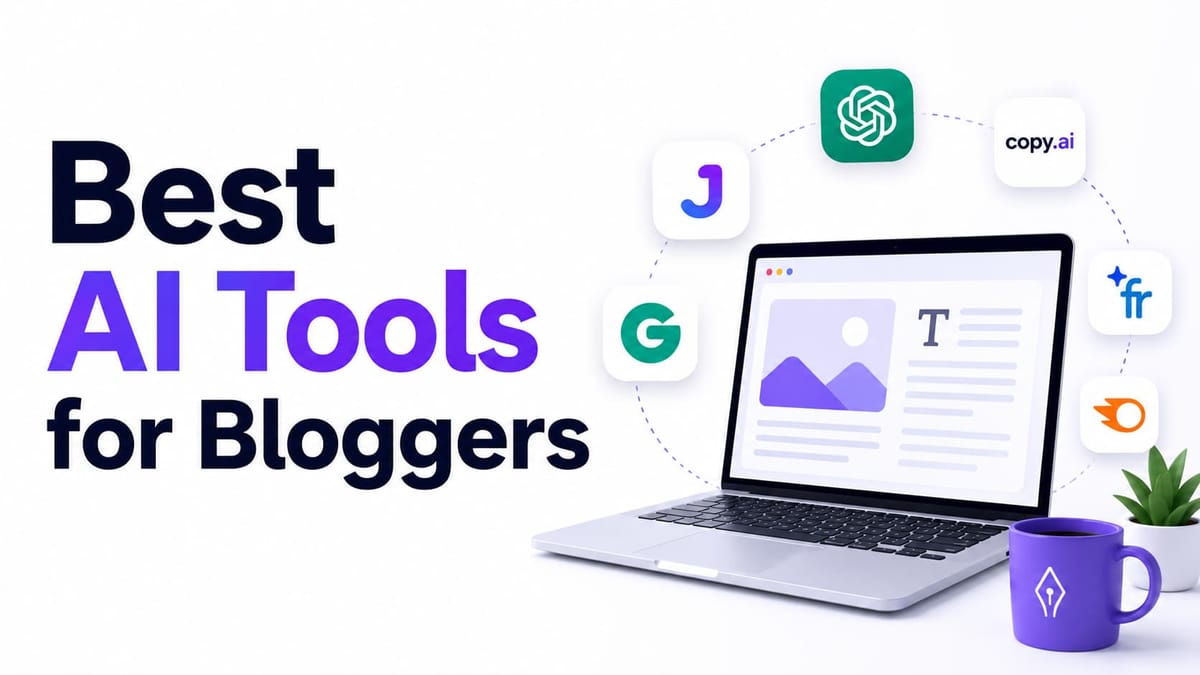
15 Best AI Tools for Bloggers in 2026

If you have been in blogging and exploring the best AI tools for bloggers. You know where the problem is. Writing takes forever, editing takes even longer, and Google then keeps on changing the algorithm according to their wish.
AI tools are supposed to fix this, and they theoretically do it.
I have spent countless days and nights testing tools, which include writing tools, SEO optimizers, and content assistants across real blog projects from beginner sites to established sites, and i found tools really saved tons of hours every week. Other looks shiny in the demo part until you test it thoroughly.
This guide covers 15 of the best AI tools for bloggers that are genuinely worth your time for blogging in 2026. No kind of shiny results, not just any hype; I will write what works, what doesn't, and what simply fits into your budget.
What Makes an AI Tool Worth Using for Bloggers?
Before jumping into the super list of the best AI tools for bloggers, it is significant to understand what separates good AI tools from a gimmick.
It should save you real time, not just create a new plethora of work. If a tool generated content in the blink of an eye, then you have to rewrite it; it's not saving you anything.
It should understand the concept of SEO, not just words. Google's 2026 core update prioritizes E-E-A-T. Tools that ignore search intent and keyword structure are baseless.
It should fit into workflows like gloves. Tools that work in isolation will not work; they should be connected to CMS or the editing process.
It should be beginner-friendly. If you need to manually figure out the interface, then what's the need for AI, which saves time for you?
Quick Comparison Table: Best AI Tools for Bloggers
| Tool | Best For | Starting Price | Free Plan |
|---|---|---|---|
| Jasper | Long-form content with brand voice | $59/month | No (7-day trial) |
| Writesonic | SEO + AI visibility tracking | $79/month | Limited free tier |
| Frase | SEO briefs and content optimization | $39/month | 7-day trial |
| Grammarly | Grammar and clarity editing | Free / $12/month | Yes |
| Descript | Podcast and video editing | Free / $12/month | Yes |
| Canva AI | Blog graphics and visuals | Free / $12.99/month | Yes |
| Copy.ai | Team GTM workflows (not ideal for solo bloggers) | $29/month | Limited free tier |
| Pictory | Turning blog posts into videos | Around $19/month | 3-day trial |
| Rytr | Short-form content on a budget | Free / $7.50/month | Yes |
| Koala AI | SEO-optimized long-form articles | Around $25/month | Free trial |
| Anyword | Marketing copy with performance data | Around $39/month | 7-day trial |
| ProWritingAid | Deep grammar and style editing | Free / around $20/month | Yes |
| Deep Art Effects | AI image styling for blog visuals | Around $4-8/month | Limited free tier |
| LALAL.AI | Audio/vocal extraction for podcasters | Pay-per-minute credits | Yes, limited |
| AI/ML API | Developers building custom AI features | Pay-as-you-go | Yes, limited credits |
1. Jasper
If you are starting your blogging journey and want AI to sound exactly like you, Jasper is the tool for you. It's the most polished option on the market.
Jasper is built around something called "brand voice." What it does best is match your writing style in the best possible ways. That matters a lot if you are thinking of making your blog sound more like you than generic.
Best For: Bloggers and small teams who publish at a consistent speed and want content to match their branding style.
Pros:
- Strong brand voice matching once you trained it
- Built-in SEO mode feature and content templates
- Chrome extension for writing almost anywhere online
Cons:
- No free plan; you get a 7-day trial
- Pricing jumps when you add a second seat
Pricing: Pro plan starts around $59/month, and that too when you are billed annually (about $69/month billed monthly). Business plans are custom prices; you need to get in touch.
2. Writesonic
Writesonic, you might have heard about his name; if not, let me give you an overview.
If you are small business owners and seriously care about ranking on Google or being cited by ChatGPT and Gemini, Writesonic is the best in the market for that purpose.
In 2026, Writesonic is just not an AI writer; it becomes a tool that gives you the combined power of AI writing and "AI visibility" in one dashboard.
Best For: Bloggers who want SEO content plus visibility tracking across AI search engines with just a click.
Pros:
- Tracks your content's visibility in ChatGPT, Gemini, and Google AI Overviews
- Generates full articles with a click
- Includes site audit tools
Cons:
- Pricing is high
- The feature set can feel daunting for a single blogger
- The learning curve is a mess.
Pricing: Plans start at $79/month billed annually. With higher tiers, it may reach $199 to $399/month depending on the volume you demand.
3. Frase
Interested in SEO optimization? No worries, Frase is here. I have been using Frase for a while now, and i loved its optimization feature.
Frase pulls the data straight from search results and builds a content brief for you with the exact topics, questions, and structures you need to compete with search results. In 2026 they also added an AI citation feature that i still personally used to track my citation in AI and LLM. I am a regular user of Frase, and i just loved the experience: one tool for almost all SEO works.
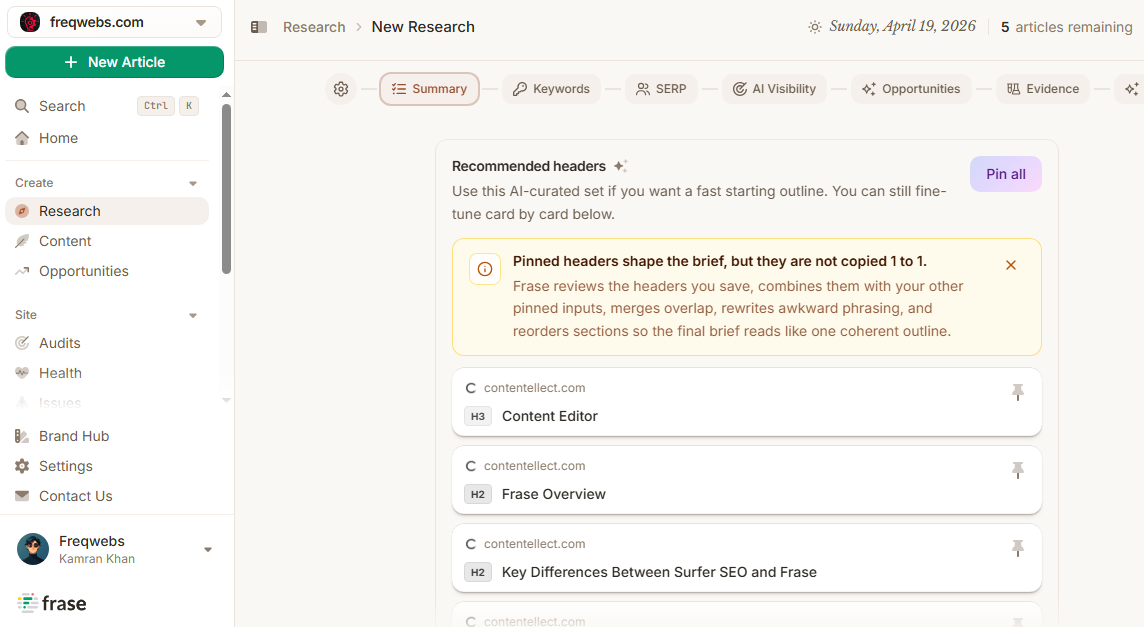
Best For: Bloggers who want data-backed strategies for content briefs.
Pros:
- Fast content brief generation
- AI visibility tracking across all AI
- Every plan includes the full toolkit
Cons:
- The learning curve for briefs takes time to understand.
- Long-form writing inside the tool still needs human intervention.
Pricing: The plan starts at a nominal price of $39/month billed annually.
4. Grammarly
Grammarly does not need any introduction in this list. If you are starting a blog and not using this tool, then it's not good for your writing workflow.
It checks grammar, tone, and clarity, and now also includes AI-assisted writing suggestions, which are too good to be true.
Best For: Almost every blogger, irrespective of whether you are a beginner or at an experience level, as you desperately need this tool for final editing before publishing.
Pros:
- Works everywhere: browser, Google Docs, Word, Ghost CMS via browser extension
- The free plan covers the basic needs pretty well
- Tone detection is helpful
Cons:
- Advanced style suggestions needed a paid tiers
- Not good for generating full articles
Pricing: Free plan available. Paid plans start at $12/month billed annually.
5. Descript
I always have a problem when I need to edit my videos, always on explore mode to find tools to help me out, as i am a solopreneur.
Then one day my eyes crossed paths with Descript, and then i never looked back.
If you are a blogger who also needs to create video content or has a podcast or YouTube, Descript is just for your video editing needs.
Descript gives you the power to edit audio and video, add text, delete a sentence from the transcript, and remove clips from video too. Descript is the most powerful video editing tool on the market.
Best For: Bloggers who expanded their reach to podcasting and video production.
Pros:
- Editing by transcript is really helpful
- AI voice cloning is top-notch.
- Remove filler words in auto mode
Cons:
- Steeper learning curve
- Not for you if you only publish written content
Pricing: Free plan available with limits. Paid plans start at $12/month billed annually.
6. Canva AI
Every blogger needs graphics for many other reasons, maybe for a blog post or possibly for social media.
When you need that and want to create in the best possible way, directly go to Canva AI. I still remember I don't have skills for design, and i need to make a featured image for my blog post. Canva has done that for me with a click.
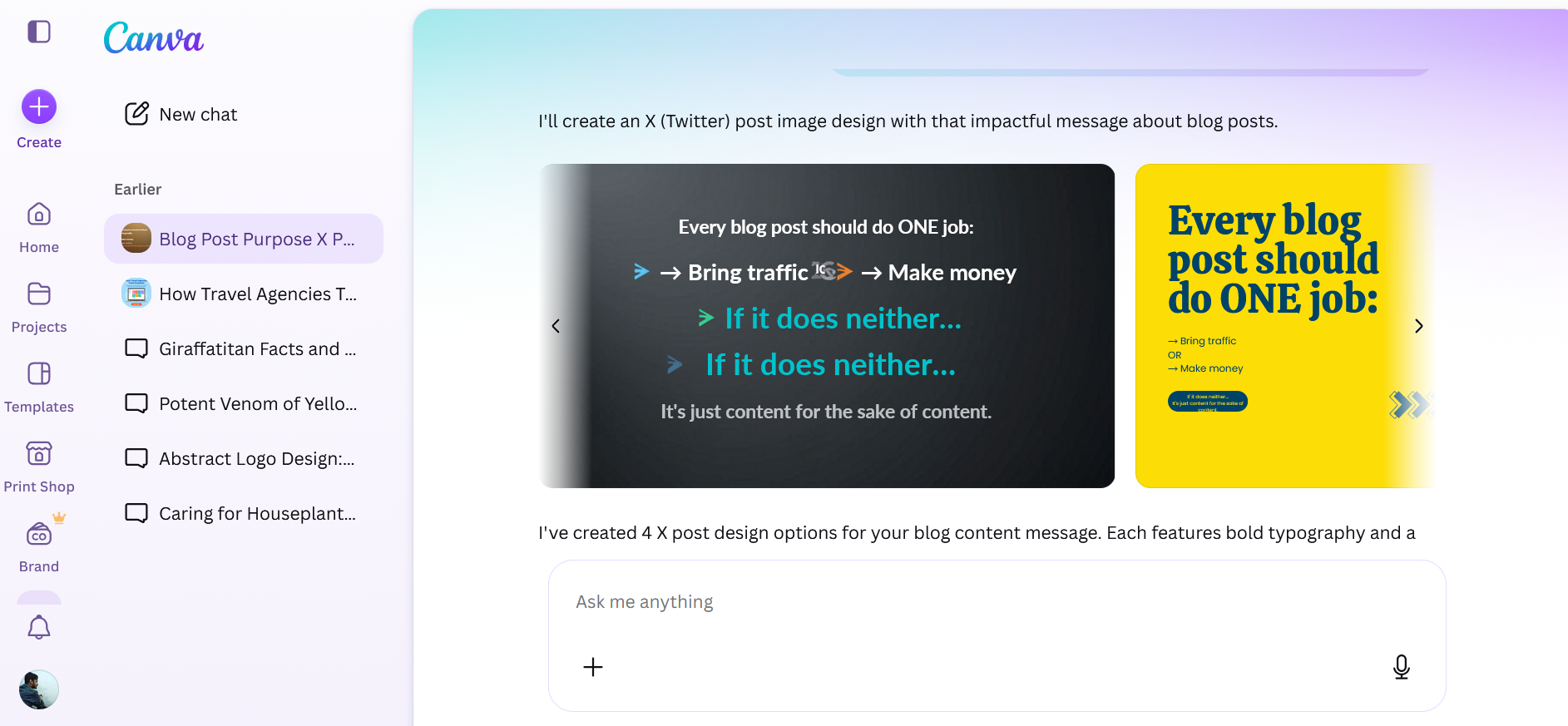
Canva's magic studies is blessing in disguise; its AI image generation, background removal, and text-to-design tools are very helpful for every blogger around the world. Recently I used Canva AI for creating X image posts, and it never disappointed.
Best For: Bloggers who need featured images, social graphics, and inforgrahics.
Pros:
- Huge template library
- AI image generation is class
- The free plan is very beneficial.
Cons:
- AI-generated images can look generic
- Advanced brand kit features require the paid plan
7. Copy.ai
If you run a small business with the marketing team, this is the right time to use Copy.AI. If you are a solo blogger, let me tell you, this tool has changed direction in 2026.
Copy.ai is repositioning itself as one tool with full marketing automation capabilities. That means Copy.AI suits those who favor large teams running sales and marketing workflows.
Best For: Marketing teams running multiple-step workflows; solo bloggers stay away as it is no more simple writing assistant.
Pros:
- Unlimited chat-based writing
- Strong workflow automation systems for teams
Cons:
- Most useful features are locked behind expensive plans
- Not built for solo bloggers
Pricing: The chat plan starts around $29/month for up to 5 seats.
If you are a solo blogger, I would recommend you skip and opt for Jasper, Frase, or Rytr.
8. Pictory
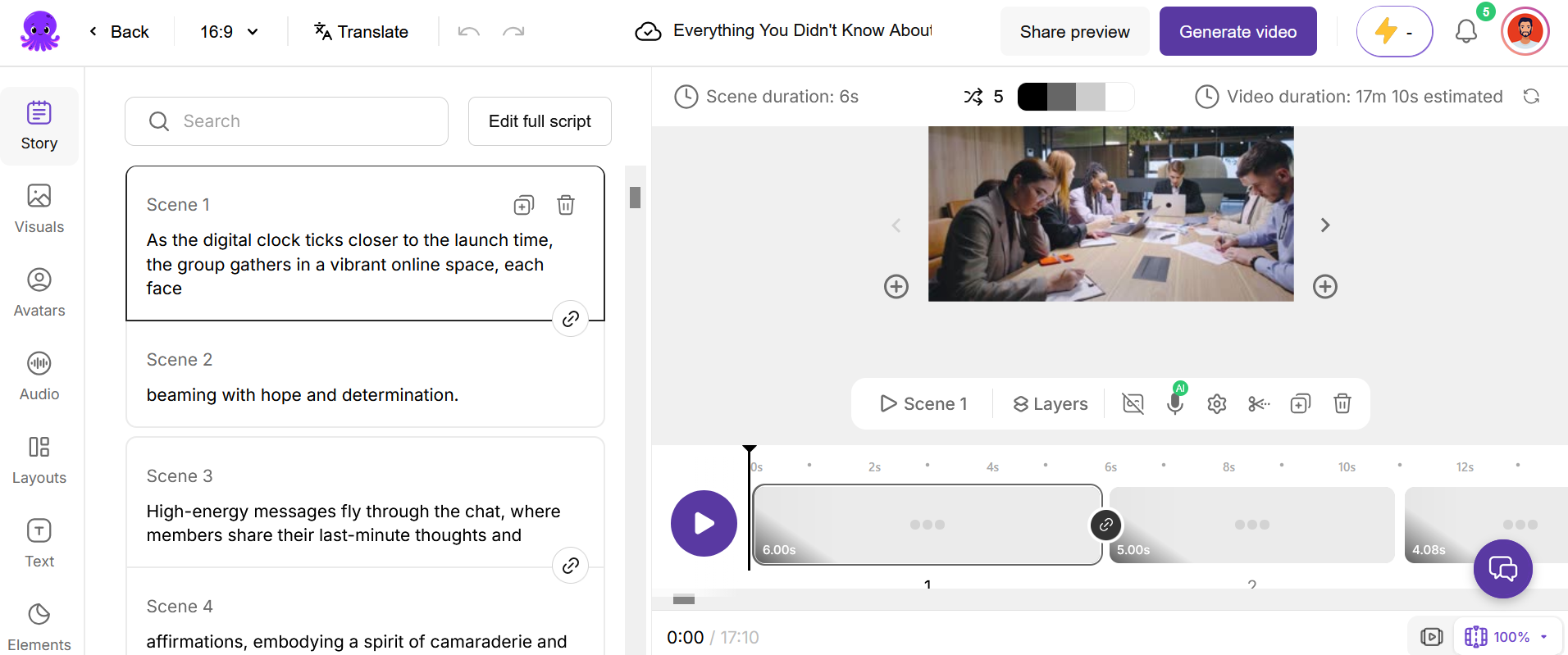
Pictory is a jack of all trades for me. Either you are looking to repurpose blog posts into video or blog posts into short video, Pictory will come to rescue for you.
You just need to paste the article's link or script, match the best stock footage, add captions, and create a full-fledged video for you. It's a solid way to push existing blogs into YouTube Shorts and instagram reels without any hassle. I have used pro plans, and here is the screenshot below:
Best For: Bloggers repurposing written content into short-form video for social distribution.
Pros:
- Converts long articles into video
- Automatic captioning feature
- Useful for content repurposing
Cons:
- Stock footage matching isn't always top-notch.
- Voiceover can sound robotic without premium voiceovers
- Free trial is limited
Pricing: Plans start around $19/month if billed annually
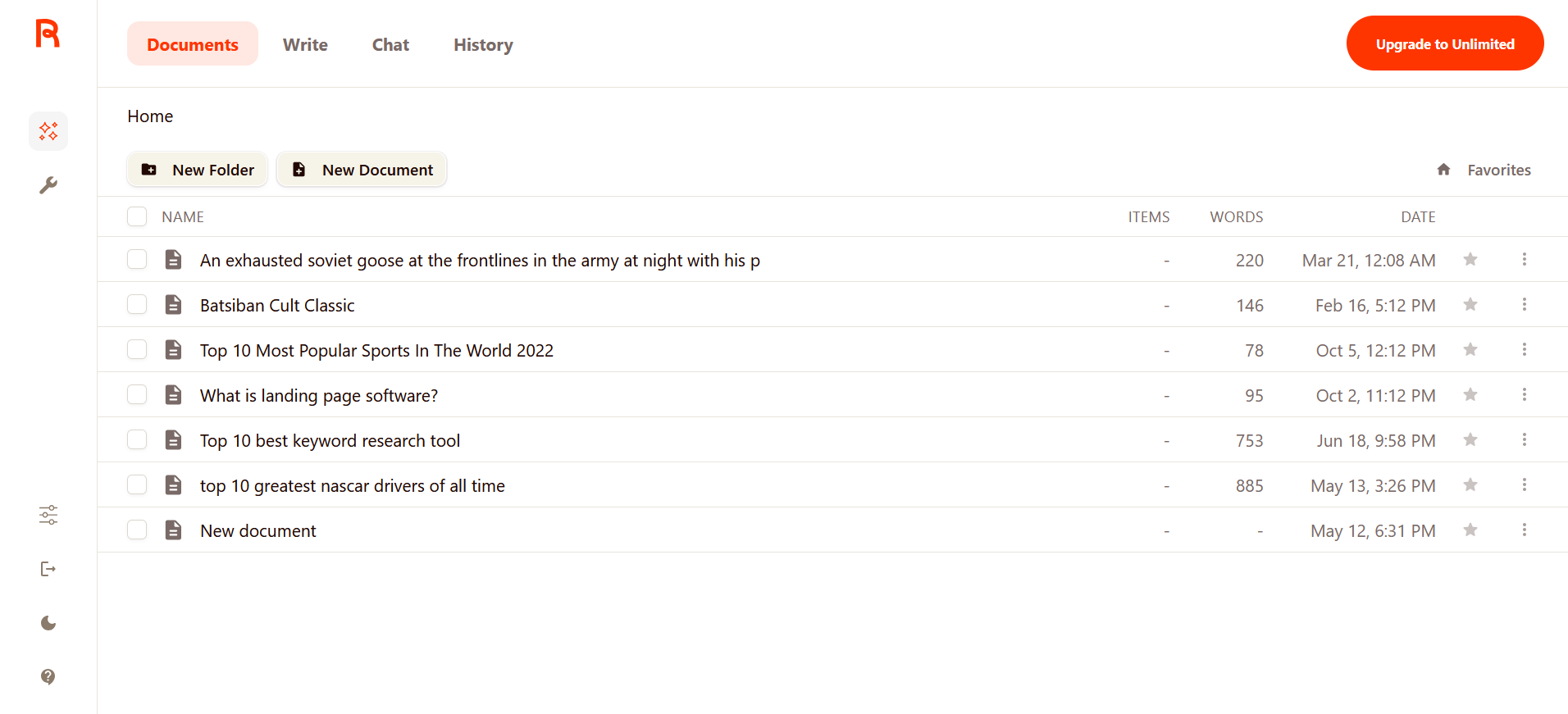
9. Rytr
Writing has always been the core subject for blogging, and if you want to go for the cheapest options for writing tools, I recommend choosing Rytr.
Rytr will not be an alternative for long-form writing workflows, but for meta descriptions, social captions, and quick outlines, it's really fast and inexpensive. I have been a regular user of Rytr and am awed by its capabilities—just a wonderful tool.
Best For: New bloggers who wish to test AI writing tools without committing to a monthly bill.
Pros:
- Very low cost compared to other competitors
- Simple and beginner-friendly interface
- Free plan lets you try and work
Cons:
- Long-form content needs heavy editing for quality
- Uses an older AI model, so output quality might not be premium
- No AI image generation
Pricing: Free plan available. The unlimited plan starts around $7.50/month when billed annually.
10. Koala AI
Long-form article writing and Koala AI are a match made in heaven. Koala AI is a tool specifically built to create long-form SEO-optimized articles with a learning curve.
Koala focused on producing a complete, publish-ready article with all the SEO structure baked in with ease.
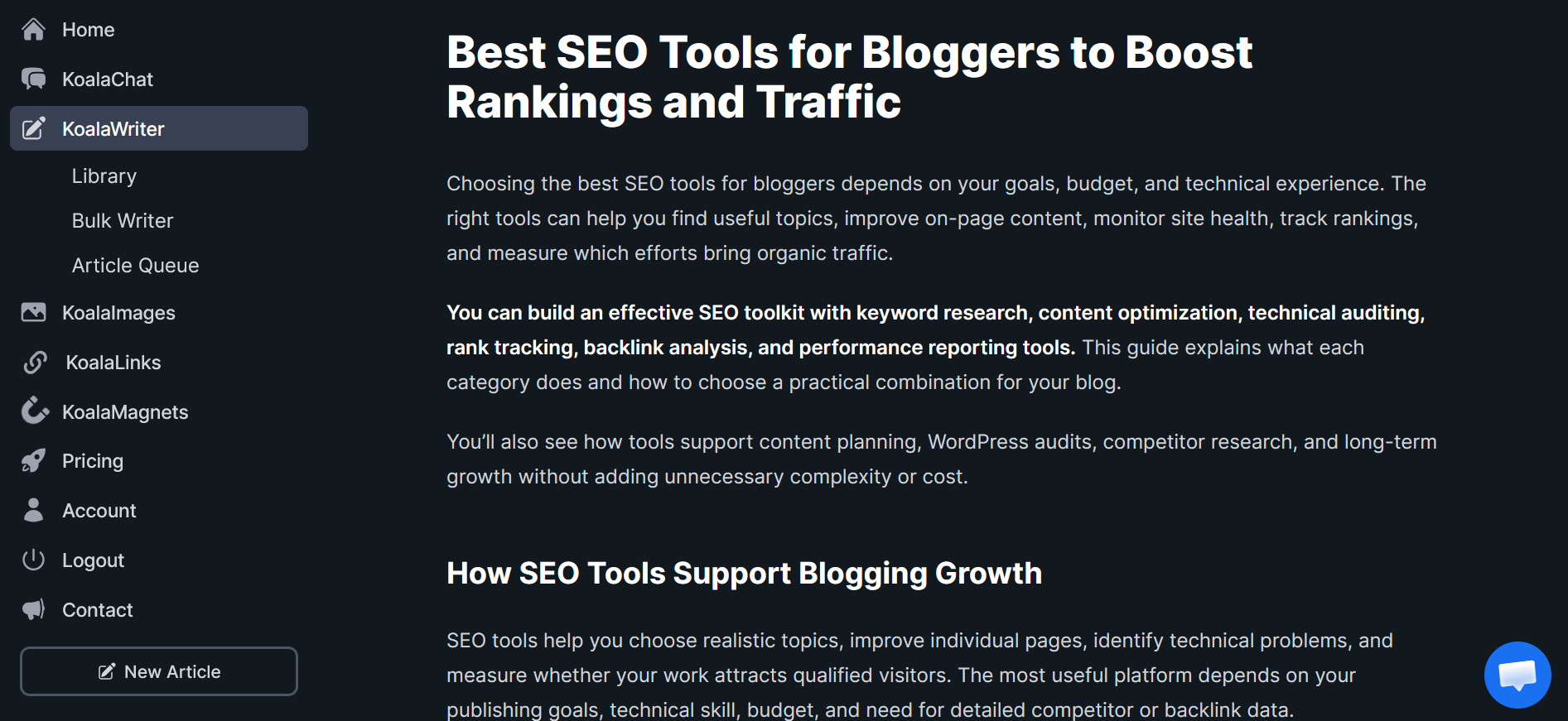
Here is a screenshot of the article i created, and you will be amazed to know it can even add images, FAQs, takeaways, internal and external linking if you connect your site and almost every SEO work in the same dashboard. Literally, it saved me tons of hours.
Best For: Bloggers who want complete long-form SEO articles with light editing required.
Pros:
- Generates full articles with headings and SEO structure
- Integrates pretty well with WordPress for direct publishing
- Includes AI image generation for featured images
Cons:
- Output still needs a fact check.
- Smaller community and fewer tutorials available
- Credit-based limits can run out at a faster speed
Pricing: Plans typically start around $25/month, with usage-based credit limits.
11. Anyword
If you are into business and care about conversions as much as rankings, then Anyword is the one you need to go for.
Anyword's selling point is its performance prediction, not just writing.
Anyword's main strength is that it gives you predicted performance based on data from past campaigns, which is quite useful and handy for landing pages and ad copy, but still valuable if your blog is into driving affiliate or product sales.
Best For: Bloggers monetizing through affiliate links or product pages who want the copy to be tested for most conversions.
Pros:
- Predictive performance scoring is really helpful
- Good for headlines, meta descriptions, and CTAs
- Useful for A/B testing copy variations
Cons:
- Not the best on long-form blog writing
- Pricing is higher compared with tools like Rytr
- Predictive scores are estimates, not guarantees
Pricing: Plans start around $39/month billed annually.
12. ProWritingAid
Whenever we mention writing tools to improve my writing, everyone recommends Grammarly. But if you want to go ahead of the surface of Grammarly, choose ProWritingAid.
Where Grammarly focuses on quick fixes, ProWritingAid gives you detailed analysis and reports that outline sentence variety, overused words, and pacing, which actually matters more when you are into full articles rather than short posts. I have recently tested one of my blog posts, and it goes even further than Grammarly to outline all errors.
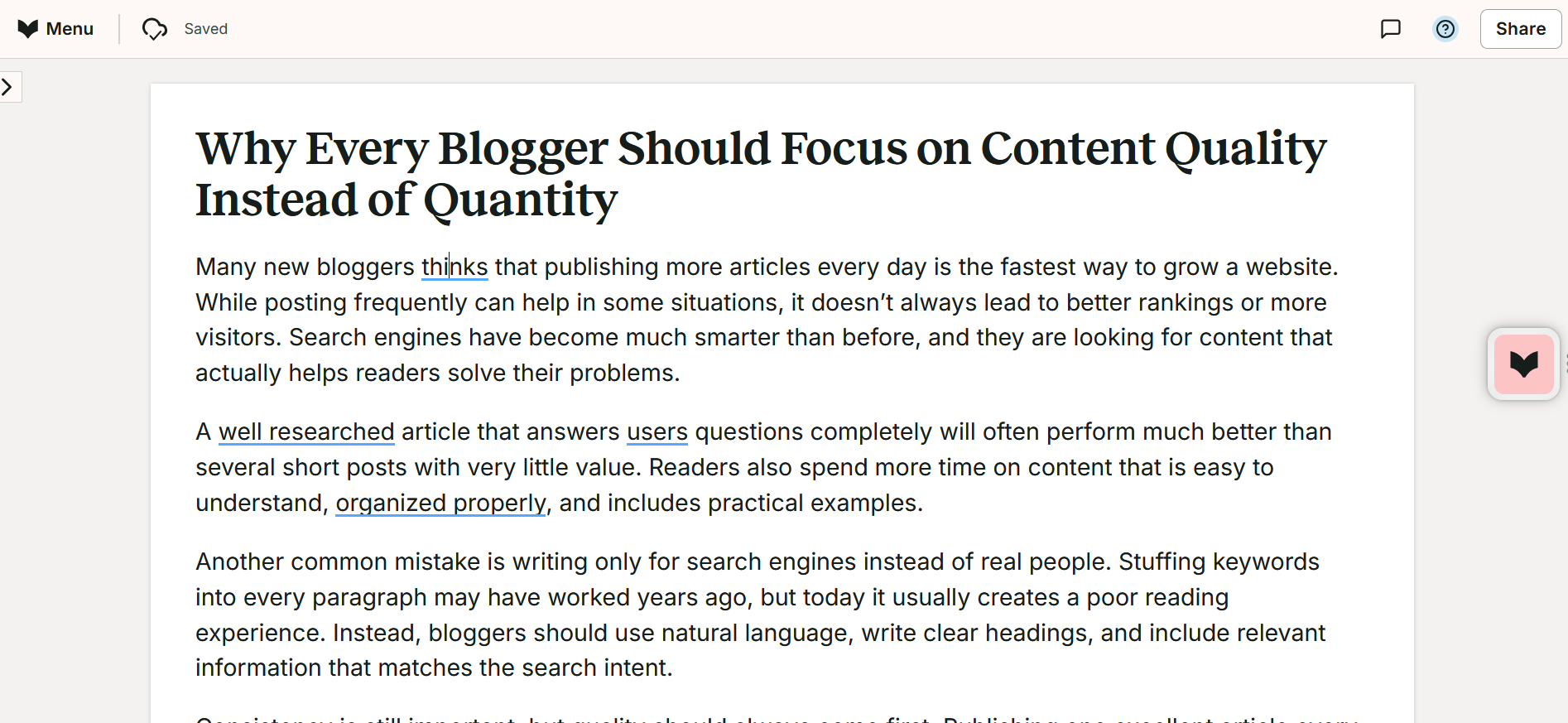
Best For: Bloggers who want a deep editing pass, not just a spell chekcer.
Pros:
- Detailed writing reports beyond just grammar
- Works well for long-form editing
Cons:
- The interface feels a bit clunkier than Grammarly
- Can be overwhelming with the volume of suggestions
- Browser extension not smooth
13. Deep Art Effects
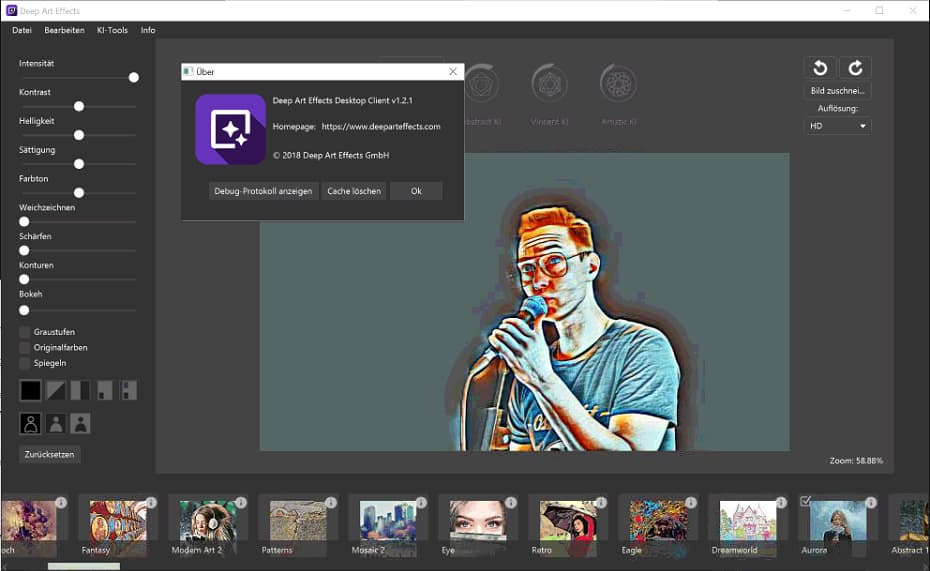
Are you the person who wants your content to be more creative with the best visuals? Check out the Deep Art Effects.
What it does best is turn your images into stylized artwork. You don't need to have photoshop skills.
It's not for every blogger; if you write about art, design, travel, or lifestyle topics and you want out-of-the-box distinctive featured images instead of just generic stock images , Deep Art Effects is just for you.
Best For: Bloggers in creative, lifestyle, or visual-heavy niches who want to have a more creative style of featured images.
Pros:
- Wide range of artistic style filters
- Batch processing for multiple images at once
- Simple drag-and-drop interface
Cons:
- Narrow use case, not like Canva as an all-in-one tool
- Not the ones who are in SaaS, tech, or business blogs
- Limited free tier
Pricing: Plans typically range from around $4 to $8/month, also depending upon the billing term.
14. LALAL.AI
Are you in the podcast industry, really struggling to separate vocals from background music or noise in audio files.
I know you have been struggling a lot; let's check out this tool. The tool's name is LALAL.AI.
This is not the mainstream blogging tool; still, I mention it as it's part of content creation. If you are dealing with podcast transcripts, interview cleanups, or extracting quotes from recorded audio, it covers all.
Best For: Bloggers creating podcast content who are in urgent need of cleaning audio extraction or noise removal.
Pros:
- Top-notch, accurate vocal and instrument separation
- Fast processing
- Useful for cleaning up interview audio before transcription
Cons:
- Pay-per-minute pricing can be daunting
- Not relevant if your blog is just all about text and images
Pricing: Pay-per-minute credit system, with a limited free tier.
15. AI/ML API
If you are a blogger who also wanted to build niche-specific tools on your site to attract backlinks, then the AI/ML API is something you must explore.
AI/ML API gives developers access to multiple AI models through one connection point.
This is the most technical tool on my list and not for everyone. For the technical side of a person who really wants to go out of the box to create something that others love to connect with, which in turn gets backlinks for your site.
Best For: Bloggers or developers building custom AI-powered tools or widgets to embed on their site.
Pros:
- Access to multiple AI models via a single API
- Best for building custom lead magnets or interactive tools
- Pay-as-you-go pricing models
Cons:
- Requires basic coding knowledge
- Not useful if you're only writing and publishing your content.
Pricing: Pay-as-you-go, with a limited free credit.
How to Choose the Best AI Tools for Bloggers
Start with your biggest bottleneck, exclude what was said, and what hype does any tool have?
If writing a full draft takes most of your time, prioritize yourself to choose Jasper and Koala AI. If you are already writing but want the best optimization to rank, Frase is the best option. If editing is boring for you, Grammarly or ProWritingAid will do the job for you.
Budget matters more than the feature list if you are starting out. A $7.50/month tool actually beats a $70/month tool if you are just opening it twice and abandoning it.
Best AI Tool Combinations for Different Bloggers
If you're starting a blog:
Rytr, plus Grammarly, plus Canva covers your major aspects, which include writing, editing, and visuals.
If you run a small business blog focused on SEO growth:
Frase for content briefs, Jasper or Koala AI for drafting, and Grammarly for the final edit.
If you're building a content-and-video strategy:
Koala AI or Frase for the written article, use Pictory then to repurpose it into video, and lastly Descript for any podcast and interview related stuffs.
If you're monetizing through affiliate content:
Frase for keyword-driven briefs, Anyword for conversion-focused copy on comparison pages, and ProWritingAid for an advanced editing pass before publishing.
Final Verdict
There is no single best AI tool for every blogger, and anyone who tells you otherwise is probably trying to sell you something.
If you just want to pick one tool, I will recommend you go for Frase. Frase handles SEO research, content briefs, and now AI visibility tracking, which matters a lot these days.
If the budget is tight, Rytr plus Grammarly is the combo you must take.
If you are serious about scaling the content, then move ahead with my approach: pair your best writing with Frase for research and Jasper and Koala AI for drafting.
Whatever you pick, always remember AI is a tool that speeds up your process. They can't replace your judgment after checking abilities and personal experiences that actually make content worthwhile to read.
FAQs: Best AI Tools for Bloggers
Do I need to pay for AI tools when I'm just starting a blog?
No. You can start with free or trial plans of Rytr, Grammarly, Canva, and Frase.
Will AI-written content get penalized by Google?
Google doesn't penalize content for being AI-assisted. The main problem arises when you create content with AI, and without any human editing, you post it in WordPress or other CMS and publish it. Focus on accuracy, structure, and genuine usefulness, and add your own experience and do your fact-checking.
Which AI tool is best for SEO specifically?
Frase is the strongest pick for SEO-focused content briefs and keyword research. Semrush is another top tool for more in-depth SEO insights.
Can AI tools help my content get cited by ChatGPT and Perplexity?
Tools like Frase and Writesonic can easily track and help optimize for AI visibility. Structuring your content clearly, answering questions directly, and citing credible sources also improves your chances of being cited by AI search tools.
➤ Disclosure: Our content is reader-supported. If you click on certain links, we may make a commission. [Learn More]