20 Best SEO Tools for Beginners in 2026

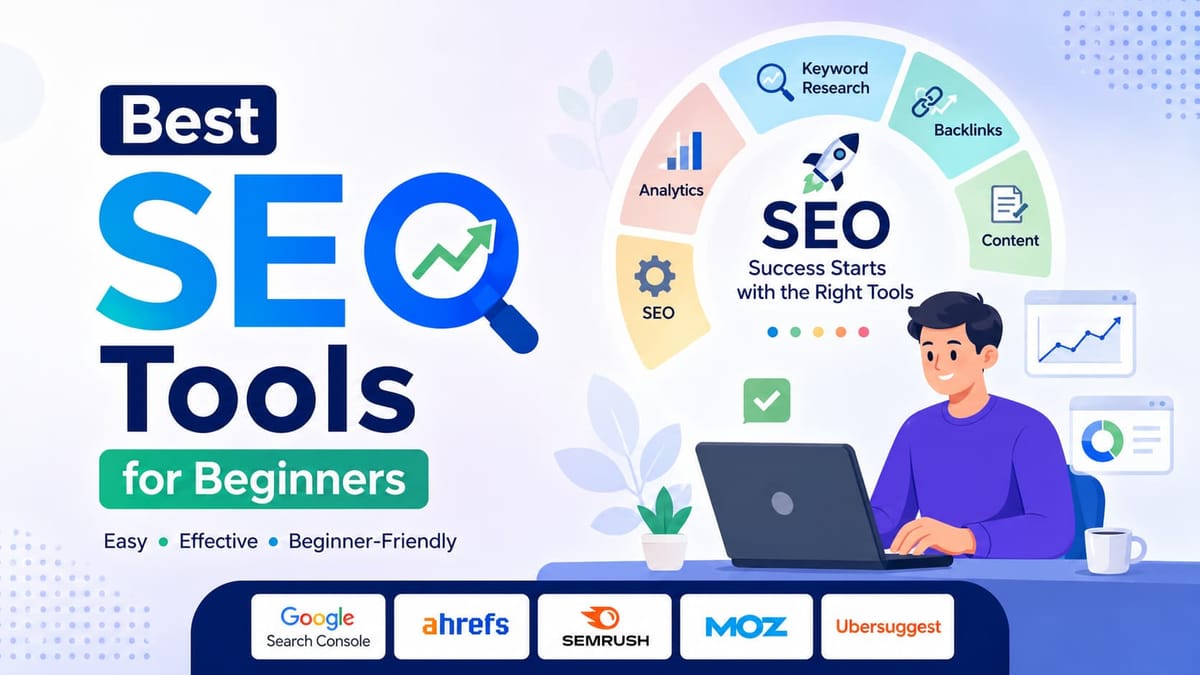
Looking for the best SEO tools for beginners? If you are just starting with a small blog, a small business, or even an affiliate site, you don't need to become an SEO expert overnight. What you need is the right stack of tools that does the heavy lifting for you.
This guide covers the 20 best SEO tools for beginners in 2026. For every tool, I will mention what it does, who it's best for, what it costs, and whether it's worth your time or not. No confusing jargon, just the real stuff you can act on today.
What Makes the Best SEO Tools for Beginners?
Not every SEO tool is aligned with beginners. Some are designed for agencies who works on hundreds of websites.
The best SEO tools for beginners have these things in common:
- Show you clear, actionable data to understand clearly
- Tell you what is wrong and how to fix it
- Offer a free plan or affordable pricing
- Easy to set up in 30 minutes
- Give you the result that you can understand
Quick Comparison Table
| Tool | Best For | Free Plan | Starting Price |
|---|---|---|---|
| Google Search Console | Tracking search performance | Yes | Free |
| Google Analytics | Understanding website traffic | Yes | Free |
| Semrush | All-in-one keyword and competitor research | Limited | $139.95/mo |
| Ahrefs | Backlink analysis and keyword research | Limited | $129/mo |
| Ubersuggest | Budget-friendly keyword research | Yes | $12/mo |
| Yoast SEO | On-page SEO for WordPress | Yes | $99/yr |
| Rank Math | SEO plugin for WordPress | Yes | $69/yr |
| AnswerThePublic | Finding questions people ask | Yes | $5/mo |
| Screaming Frog | Technical site audits | Yes (500 URLs) | $259/yr |
| Moz Pro | Beginner-friendly all-in-one | No | $99/mo |
| Surfer SEO | Content optimization | No | $89/mo |
| SE Ranking | Affordable rank tracking | No | $65/mo |
| Mangools | Simple and visual keyword tools | No | $29/mo |
| KeywordTool.io | Keyword ideas from Google Suggest | Yes | $89/mo |
| SEO PowerSuite | Desktop SEO suite | Yes | $299/yr |
| BuzzSumo | Content and competitor research | No | $199/mo |
| SEOquake | Free on-page Chrome extension | Yes | Free |
| GTmetrix | Website speed testing | Yes | $5/mo |
| ChatGPT | AI-assisted content and keyword ideas | Yes | $20/mo |
| Microsoft Clarity | User behavior heatmaps | Yes | Free |
1. Google Search Console
Best For: Anyone with a website who wants to see how Google views their pages.
If you only use one SEO tool, then it should be this one. Google Search Console is a free tool provided by Google, and it does best in outlining all the problems a website have specially when it comes to performing well in Google search.
You can get clearer data on which keywords bring people to your site, which pages rank here, and whether Google has problems in indexing or crawling your site. If you already have a blog and want to know which post is getting clicks, this is where you check.
Real-world use case: You wrote a post about "best laptops for students" and published it just a week ago. Each console will tell you if Google knows about that page or not, what position it appears, and whether anyone has clicked on it.
Pros:
- Completely free
- Data comes from Google directly
- Alerts you when your site has errors that hurt rankings
Cons:
- Does not show competitor data
Pricing: Free
2. Google Analytics
Best For: Understanding where your visitors come from and what they do on your site.
While the Search Console's primary work is to give detailed reports on search performance, Google Analytics, tells you about your visitors. How long do they stay on your website? Which pages are they exploring? Did they come from Google, Social media, or a direct link?
If you run a small business and want to know where your blog traffic is coming from, there is no better tool than Google Analytics.
Real-world use case: You notice your "contact" page has had a lot of visits recently, but the people who visit are not filling out your form. Analytics helps you out in this to identify the drop-off points so you can fix them.
Pros:
- Free
- A ton of traffic data that no other tool offers for free
- Integrates easily with Google Search Console for a complete picture
Cons:
- GA4 has a bit of a learning curve, especially for beginners
- Can be overwhelming with the number of reports available
3. Semrush
Best For: Beginners who want one platform to research keywords, track rankings, and spy on competitors.
Semrush is one of the most powerful SEO tools in the world. It's used by major agencies and brands and has the best beginner-friendly interface on the market.
The keyword magic tool shows you the volume, keyword difficulty, and how competitive the keyword is. The competitor analysis feature in Semrush will show you the keywords your rival is ranking for, which is the best and fastest way to get content ideas.
Real-world use case: You want to start a tech review blog. Just type the competitor's domain, and Semrush quickly gives you a snapshot of all keywords they rank for. You can filter it out and build your content plan around them. How cool is that?
Pros:
- Covers keyword research, Site audit, backlink analysis, and rank tracking as well
- The free tier lets you run a few searches, too, without upgrading to a plan
Cons:
- Expensive for beginners
- The free plan is too limited
Pricing: Free limited plan; Pro plan starts at $139.95 per month
4. Ahrefs
Best For: Understanding backlinks and discovering what content is ranking in your niche.
Ahrefs has long been considered the best SEO tool by many. Its strength is its site audit, keyword research, and backlink analysis. Backlinks are the links from other websites pointing to yours, and they're one of the biggest factors in ranking. Ahrefs has the largest backlink index of any SEO tool.
The content explorer in Ahrefs helps you find the top-performing content in any niche.
Real-world use case: You want to know why the competitor's article is outranking yours. What you need to do is just paste their URL into Ahrefs, and it will give you a list of how many websites are linking to that specific page. That tells you how much link-building work you need to do to close the gap.
Pros:
- Largest backlink data
- Keywords Explorer gives insightful and detailed difficulty scores
- Content Explorer is a top notch for content strategy
Cons:
- No free plan
- Can be overwhelming for people who have just started
Pricing: Starter plan at $29/month with limits; full plans from $129/month
5. Ubersuggest

Best For: Beginners who want keyword research without spending much money.
Ubersuggest is a well-known tool created by Neil Patel as an affordable alternative to reputed tools like Ahrefs and Semrush. It covers all the basics well: keyword ideas, search volume, competition scores, site suitability, and backlink data.
The interface is clean and user-friendly, making it a solid starting point if you are desperately looking for an SEO tool as a beginner.
Real-world use case: You run a local bakery website, and you want to know about keywords that people are searching for in your city. Ubersuggest helps you filter by country and shows local search volume to target the right audience.
Pros:
- Very affordable Price
- Clean and easy interface
- Chrome extension available
Cons:
- Data is not as accurate as Semrush or Ahrefs
- The free plan is limited to three daily searches
Pricing: Free plan available; paid plans start at $12 per month
6. Yoast SEO
Best For: WordPress users who want step-by-step on-page SEO guidance for every post.
If your website runs on WordPress, Yoast SEO is probably the best SEO plugin you can install. Once you install it, it starts showing in the dashboard and checks every post and page you write for SEO quality.
It uses a simple traffic light system. Green means your on page seo is top-notch. Orange means it needs work. Red means there are significant problems.
Real-world use case: You finish writing a blog post, and Yoast will start to tell you things like your focus keyword does not appear in your first paragraph, your meta description is too short, and you have not added any internal links. These help you to guide before you hit publish.
Pros:
- Extremely beginner-friendly
- Automatically generates XML sitemaps
- A readability checker helps you write content that is easy to understand
Cons:
- WordPress only Availability
- The free version lacks redirect management
Pricing: Free plugin available; Yoast SEO Premium costs $99 per year
7. Rank Math
Best For: WordPress users who want more features than Yoast SEO for a lower price.
Rank Math is a newer entrant in the market but has quickly risen to fame as a Yoast alternative. Many bloggers use it specifically for the free features that Yoast locks in its premium plan.
You can optimize your post for multiple focus keywords, schema support, track your rankings within WordPress, and connect Google Search Console all from the free version.
Real-world use case: You are building an affiliate blog, and you need to optimize for three to four related keywords rather than one. Rank Math's free plan allows you to do this, while Yoast requires a paid upgrade.
Pros:
- More features in the free plan compared to Yoast
- Built-in schema markup
- Clean and modern interface
Cons:
- Slightly more complex setup than Yoast
- Support can be slower than premium tools
Pricing: The free plan is worth it; the Pro plan costs $69 per year
8. AnswerThePublic
Best For: Finding the questions real people are typing into Google about your topic.
AnswerThePublic is not an atypical SEO tool. It does not track rankings or analyze backlinks. What I do best is give you a list of every question people are asking about the given topic.
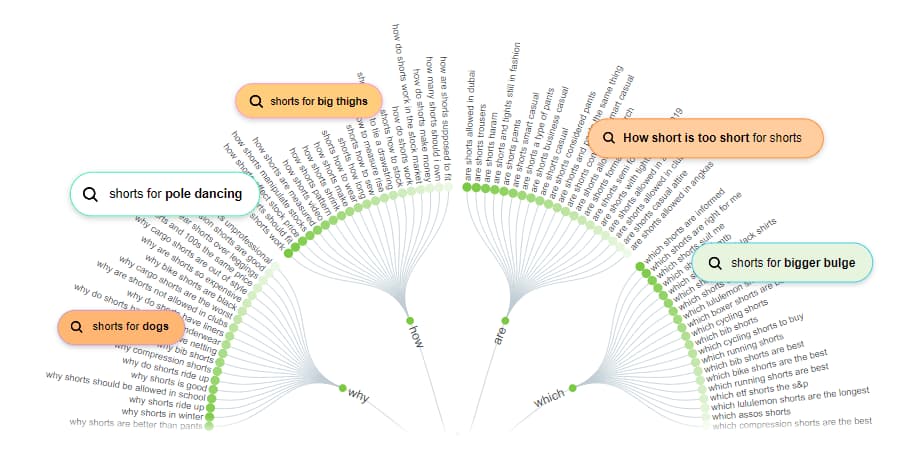
You just need to type a keyword, and it generates a visual map with hundreds of questions, comparisons, and phrases people are obsessively searching on the internet. This is the gold standard for content planning.
Real-world use case: You are starting a personal finance blog. Type"budgeting" into AnswerThePublic, and quickly you will see the magic with the question started to pop up - budgeting for beginners," "budgeting when you live paycheck to paycheck," and "budgeting apps that work." Each of those is a potential article topic.
Pros:
- Best tool for content ideation
- The free plan gives you a few searches per day
- Data is pulled from Google and Bing Autocomplete, so you can rely on it
Cons:
- Does not provide search volume or difficulty scores
- The free plan limits searches per day
Pricing: Free plan available; paid plans start at $5 per month
9. Screaming Frog SEO Spider
Best For: Identifying technical SEO problems across your entire website.
Screaming Frog is a desktop program that helps you crawl your website in the same way as Google bots. It finds broken links, missing meta descriptions, duplicate content, redirect chains, and a ton of technical issues that may be impacting your ranking on the go.
For beginners, this tool is really an important one, and it makes your website technically clean of every issue.
Real-world use case: You have a blog with a total of 80 articles, and you suspect there must be some duplicate titles. Run Screaming Frog, and it generates a full report of your duplicate pages, broken links, and missing H1 tags across all 80 pages within a minute.
Pros:
- The free version crawls up to 500 URLs
- Extremely detailed technical audits
- Works with any website platform
Cons:
- Desktop application with a learning curve
- The interface looks outdated
Pricing: Free up to 500 URLs; paid version costs $259 per year
10. Moz Pro
Best For: Beginners who want a well-rounded SEO platform with excellent learning resources.
Moz has been the most respected name for over a decade in the SEO industry. Moz Pro is their premium offering, which helps you to do keyword research, rank tracking, site audits, and link analysis.
The Moz blog has been consistently the free SEO learning centre and best resource for almost every SEO professional in the world, and the tool itself brings a lot of value to the table.
Real-world use case: You want to quickly assess how hard the keyword is to rank on Google. Moz's keyword difficulty score combines domain authority and gives you a clear picture on which you can rely.
Pros:
- Moz's educational content is top-notch
- Clean, intuitive interface
Cons:
- More expensive than some alternatives like Semrush
- No free plan, only a 30-day trial
Pricing: Plans start at $99 per month
11. Surfer SEO

Best For: Writers who want to create content specifically designed to rank on the first page.
Surfer SEO is all about a data-driven approach to content writing. You need to enter a keyword, and it analyzes all the top-ranking pages and tells exactly how long the article would be, which related terms to include, how many headings to use, and more. It then gives you a content score as you start writing into it.
This is very useful if you're writing content or a product review and want to match or beat what's already ranking on Google.
Real-world use case: You want to rank for "best budget cameras in 2026." Surfer quickly analyzed the top 10 results and told you to write an article around 2400 words and add the words "image stabilization" and "mirrorless" multiple times, and include at least 8 images.
Pros:
- Takes the guesswork out
- Content Editor easily integrates with Google Docs
- Keyword research is a built-in feature
Cons:
- Does not replace a full SEO suite
- Can make writers overly focused on scores instead of writing naturally
Pricing: Plans start at $89 per month
12. SE Ranking
Best For: Bloggers and small businesses who want accurate rank tracking at an affordable price.
SE Ranking is an all in one SEO tools which compete the likes of Semrush and Ahrefs but at a lower cost. It covers rank tracking, keyword research, site audits, backlinks monitoring, and competitor analysis.
The rank tracking is solid and very accurate, and it updates frequently, making it the best choice if you're looking for a tool to track your positions on Google.
Real-world use case: You run a small local business and want to track where your site is moving up on Google for city-specific keywords. SE ranking tracks the positions with ease on a daily basis and sends you reports, and you can understand where you stand out.
'Pros:
- Very affordable
- Rank tracking is accurate
- Good white-label reporting for freelancers
Cons:
- The keyword database is smaller compared to Semrush or Ahrefs
- Some features feel less polished than premium competitors
Pricing: Plans start at $65 per month
13. Mangools
Best For: Visual learners and beginners who find traditional SEO tools too complicated.
Mangools consists of five tools: KWFinder for keyword research, SERPChecker for analyzing search results, SERPWatcher for rank tracking, LinkMiner for backlinks, and SiteProfiler for domain analysis.
The interface is intuitive and very easy to use. If it's true that Semrush overwhelms, let's check out Mangoools.
Real-world use case: You are researching keywords for a recipe blog. KWFinder gives you insight into keywords with color-coded difficulty scores, search volume, and trend data, which makes it easy to pick up the right keywords.
Pros:
- Best looking interface
- KWFinder is best for finding low-competition keywords
- Affordable pricing
Cons:consists
- No free plan
Pricing: Plans start at $29 per month
14. KeywordTool.io
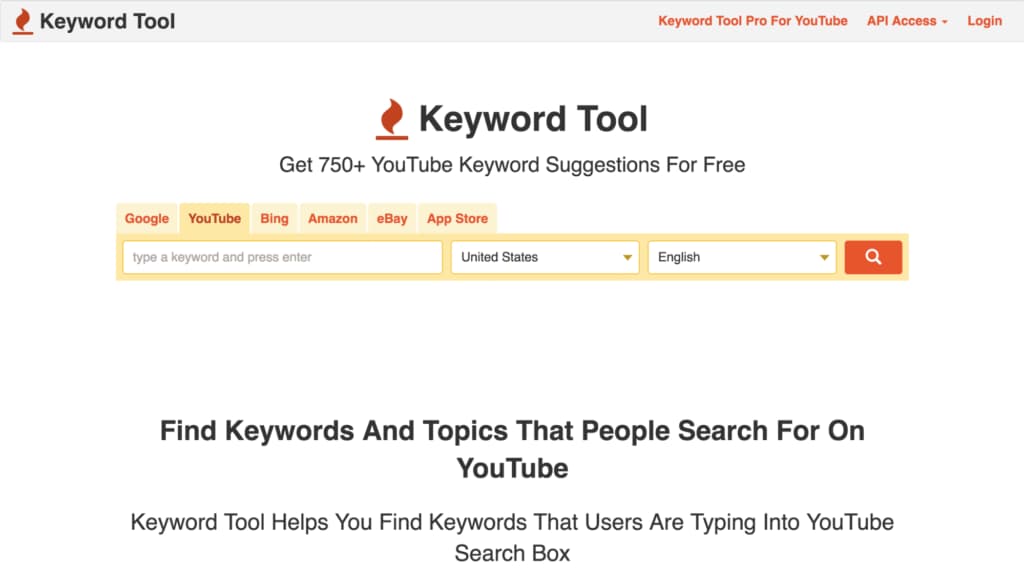
Best For: Finding long-tail keyword ideas from Google, YouTube, Amazon, Bing, and more.
KeywordTool.io pulls all its data from the autocomplete data of search engines. When someone searches on Google, a dropdown appears with tons of suggestions; those suggestions are what KeywordTool.io collects and organizes for you.
What makes it unique is that it collects data not from Google, but also from YouTube, Amazon, Etsy, Instagram, and other major platforms.
Real-world use case: You run an Etsy store selling handmade candles. Use the KeywordTool.io tool to find the exact phrases people search on Etsy for candles, and then use those phrases in your product listings.
Pros:
- Works across multiple platforms
- Free version available
- Best for long-tail keywords
Cons:
- Search volume and competition data needed a paid plan
- Not a complete SEO tool
Pricing: Free plan available; pro plans start at $89 per month
15. SEO PowerSuite
Best For: Beginners who want powerful desktop SEO software without a monthly subscription.
SEO PowerSuite is a well-known SEO tool that comprises Rank Tracker, Website Auditor, SEO SpyGlass for backlinks, and LinkAssistant for link building. Unlike most of the tools, this tool demands a payment once per year, rather than monthly.
For bloggers or freelancers who want an all-in-one SEO tool, the annual pricing gonna save you a lot of money compared to monthly subscription tools.
Real-world use case: You manage SEO for more than five small business websites as a freelancer, which handles rank tracking, site audits, and backlink analysis without paying for each domain individually.
Pros:
- Annual pricing is more economical compared to a monthly subscription
- Works without an internet connection for a lot of features
- Covers rank tracking, site audits, and backlink research
Cons:
- Desktop software is a bit outdated
- Free version available
Pricing: Free plan available with limits; paid plans start at $299 per year
16. BuzzSumo
Best For: Discovering what content performs best on social media and understanding your competitors' content strategy.
BuzzSumo is not tradition all in one SEO suite which tracking, ranking and gives you keyword insights. Instead, it's a tool that shows you which content gets the most shares, backlinks, and engagement across the web.
For content marketers and bloggers, this is invaluable. Instead of guessing what to write on, you can see exactly what is already working.
Real-world use case: You are launching a fitness blog, and you want to know which articles are getting the most shares in the last year. BuzzSumo gives you insights that "10-minute morning routines" and "home workouts without equipment" consistently generate a rainbow of shares, so you can prioritize importance to those topics.
Pros:
- Shows you viral content ideas backed by real data
- Great for identifying top-performing competitor articles
Cons:
- Expensive for a tool like this
Pricing: Plans start at $199 per month
17. SEOquake

Best For: Beginners who want quick SEO data while browsing Google, completely free.
SEOquake is a powerful browser extension. It adds a small bar of SEO data in every Google search result you explore. It gives you insights like domain authority, number of backlinks, and more without leaving the page you are on.
It also incudes on page SEO checker and keyword density checker, which helps you a lot in your SEO journey.
Real-world use case: You are browsing Google to research topics and want top insights to understand whether that page is beatable or not. SEOquake shows you exact domain authority and backlink counts, which helps you to decide that.
Pros:
- Completely free
- Works in real time
- No learning curve
Cons:
- Data is not as accurate as premium tools
- Can clutter your browsing experience
Pricing: Free
18. GTmetrix
Best For: Testing how fast your website loads and finding specific things that are slowing it down.
As we all know, page speed in ranking factor confirmed by Google. If your website is slow, visitors will leave before it loads. GTmetrix is a tool that helps you track your website speed and lets you know exactly the root cause of what is causing it to be slow.
It grades your site on the basis of the speed of your website and gives you ways to fix it. Even if you are not the most technical person, you can take a list to developers or use it to recommend plugins on WordPress to fix issues.
Real-world use case: You install five new plugins on your WordPress blog, and you notice it feels slower. Run GTmetrix before and after, and check which resources are adding more load time, including which specific images are too large.
Pros:
- The free plan is best for speed testing
- Tests available from multiple global locations
- Waterfall charts show you exactly which elements load slowly
Cons:
- Fixes require a bit of technical knowledge
- Free plan somewhat limited
Pricing: Free plan available; paid plans start at $5 per month
19. ChatGPT
Best For: Generating content outlines, keyword clusters, meta descriptions, and blog ideas at speed.
ChatGPT is not an SEO tool, but practically, if look the usability, it is one of the best tools for creators' workflow. You can use it for multiple tasks, which include brainstorming content ideas, generating keyword clusters, writing meta descriptions, creating FAQ sections, and drafting outlines in seconds.
Real-world use case: You want to create a content calendar for a new tech blog. Just open ChatGPT and ask it to generate 30 blog post ideas targeting beginners interested in AI tools. Then filter the list on the basis of what is relevant to your audience. A task that might take 2 hours will be done in the blink of an eye with ChatGPT.
Pros:
- The free plan is capable of almost all work
- Extremely fast for generating outlines, titles, and metadata
Cons:
- Does not provide an exact search volume and data
- Content must be human-edited and fact-checked before publishing
- Over-reliance on AI content can hurt your brand voice
Pricing: Free plan available; ChatGPT Plus costs $20 per month
20. Microsoft Clarity
Best For: Understanding exactly how visitors interact with your pages using heatmaps and session recordings.
Microsoft Clarity is a completely free analytics tool. It shows you a roadmap of where visitors click on your pages, how far they scroll, and where they get confused or leave. It also provides session recordings so you can watch real visits to your site.
This is so important as Google measures user behavior a lot. If users are leaving quickly, clarity is the tool that showcases why.
Real-world use case: Your product review page is getting lots of traffic from Google but is not converting into affiliate clicks. Clarity's heatmap comes to the rescue as it exactly shows you that most users are scrolling past your CTA without noticing it because they are placed too low on the page.
Pros:
- Completely free
- Session recordings are invaluable for understanding user behavior
- Integrates with Google Analytics
Cons:
- Not an SEO tool
- Data takes time to accumulate if it's newer sites
Pricing: Free
Free vs Paid SEO Tools: Which Best SEO Tools For Beginners To Choose?
This question keeps on coming every time, and it's always a debatable one. I suggest you start free and then upgrade strategically.
The free tools on the list, such as Google Search Console, Google Analytics, Yoast SEO, SEOquake, GTmetrix, and Microsoft Clarity, give you a solid foundation to start with. They are excellent in their work, and many experiencd SEO's in the market use them.
The case of upgrading comes when you need specific capabilities. If you want competitor research at scale, you need Semrush, Ahrefs, or Mangools. If you are into backlinks, opt for Ahrefs. If you produce content regularly and want data-backed optimization, Surfer SEO is your go-to tool.
| Situation | Recommendation |
|---|---|
| Brand new blog, just starting out | Google Search Console + Yoast SEO + Ubersuggest free tier |
| Serious about growing in 3-6 months | Add Mangools or SE Ranking |
| Running a content-heavy affiliate site | Semrush or Ahrefs at minimum |
| Local small business | SE Ranking or Ubersuggest paid |
| WordPress blog focused on writing quality | Rank Math + Surfer SEO |
How to Choose the Best SEO Tools for Beginners As Per Your Needs
With 20 options in front of you, it's always a difficult task to choose the best SEO tool, so let me make it easy for you.
If you are just starting: Install Google Search Console and Google Analytics first. They are completely free and the most important tool for SEO. Add Yoast SEO or Rank Math if your site runs on Wordpress. This setup alone helps you SEO in the driving seat.
If you are focused on keyword research: For keyword research your most affordable options are Mangools or Ubersuggest. Want more premium options, then go for Semrush or Ahrefs.
If you produce content regularly: AnswerThePublic helps you find topics, Surfer SEO gonna optimize while you write, and ChatGPT speeds up your workflow. These three together give you a strong client production system.
If technical issues are holding you back: Screaming Frog and GTmetrix are two tools you need to prioritize. Screaming Frog finds the problems, while on the other side, GTmetrix focuses on speed.
If you are tracking rankings: SE Ranking offers the best value for the budget for rank tracking. Semrush and Ahrefs are more comprehensive tools if you are looking for the bigger picture.
Conclusion
SEO does not require very expensive tools or years of experience to get started. The most important thing if you start your proceedings. Google Search Console, Google Analytics, and a good WordPress SEO plugin are completely free, powerful, and enough to get results in every stage of your career.
As your site grows, layer in a paid tool strategically. Invest in keyword research tools when you are ready to scale your content. Invest in a technical auditing tool when your site becomes large enough to do manual checking of your website.
The tools covered on this website cover all the basics and are best for beginners in 2026 for every use case and budget. You do ot need all 20. Pick 2 or 3 tools that match your current framework, and add more as you grow.
FAQs: Best Free SEO Tools For Beginners
What is the best free SEO tool for beginners?
Google Search Console is the best free SEO tool on the market. It shows you directly how Google views your site, which keywords drive traffic, and whether there are any indexing problems. Pair it with Google Analytics and you have covered all the basics.
Do I need to pay for an SEO tool to rank on Google?
No. Many websites rank well using only free tools. Paid tools give you an edge that's for sure, but they are not required to achieve rankings. Quality content and proper on-page optimization using free tools can take you far.
What is the difference between Yoast SEO and Rank Math?
Both are WordPress plugins that help with on-page SEO. Rank Math offers more features in its free version, which include multiple keyword optimization and schema markup. Yoast SEO has a longer track record in the industry and has a far better interface. Either one is a good choice.
How much should a beginner spend on SEO tools?
Start with zero. Use the free tools available in the market until your site starts to generate more income. At that point, a budget of $30 to $70 per month covers tools like Mangools or SE Ranking.
Can I use ChatGPT for SEO?
Yes, but as a workflow, not as a proper SEO tool. ChatGPT is excellent for generating content ideas, writing outlines, producing meta descriptions, and clustering keywords. It does not replace prominent SEO tools that provide real search volume data like Semrush or Ahrefs.
Is Ahrefs or Semrush better for beginners?
Semrush is slightly more beginner-friendly compared to Ahrefs due to its interface and the range of features it provides. Ahrefs has stronger backlink data. If your main goal is content and keyword research, start with Semrush. If backlinks are your priority, Ahrefs is worth the investment.
What is the best SEO tool for a small business?
For a local small business, SE Ranking offers excellent local rank tracking at the most affordable price. Combined with Google Search Console, Google Analytics, and GTmetrix for speed testing, you have a complete setup without a large monthly commitment.
➤ Disclosure: Our content is reader-supported. If you click on certain links, we may make a commission. [Learn More]